
Rain Photo Editing ChatGPT Prompt! Make 3 Layers Street Rainy Photo
The rainy season has started, and on Instagram, three-layer street and highway rainy-day photos are trending. Just wait! You don’t need to go out on the highway in the rain for this. You can create such photos online using your phone from the comfort of your home. All you need is a photo of yourself, ChatGPT, and a rain photo editing prompt.
Trending Rainy Cinematic AI Photo Editing
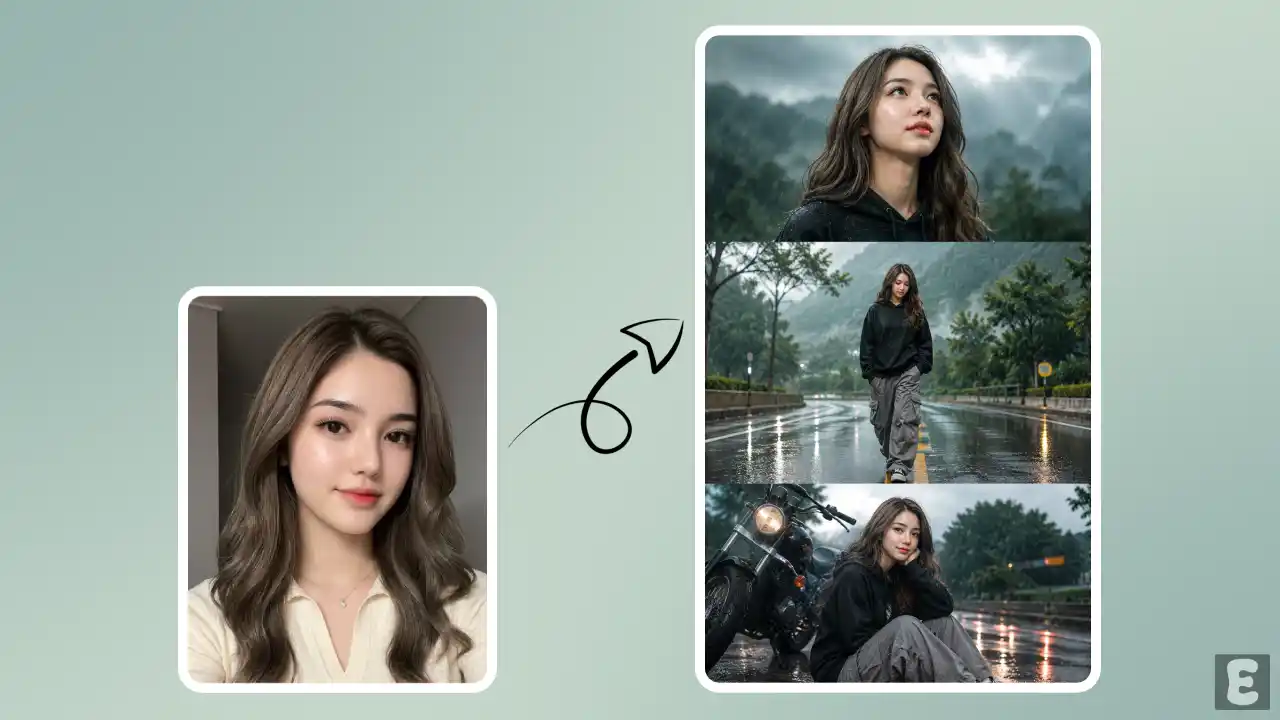
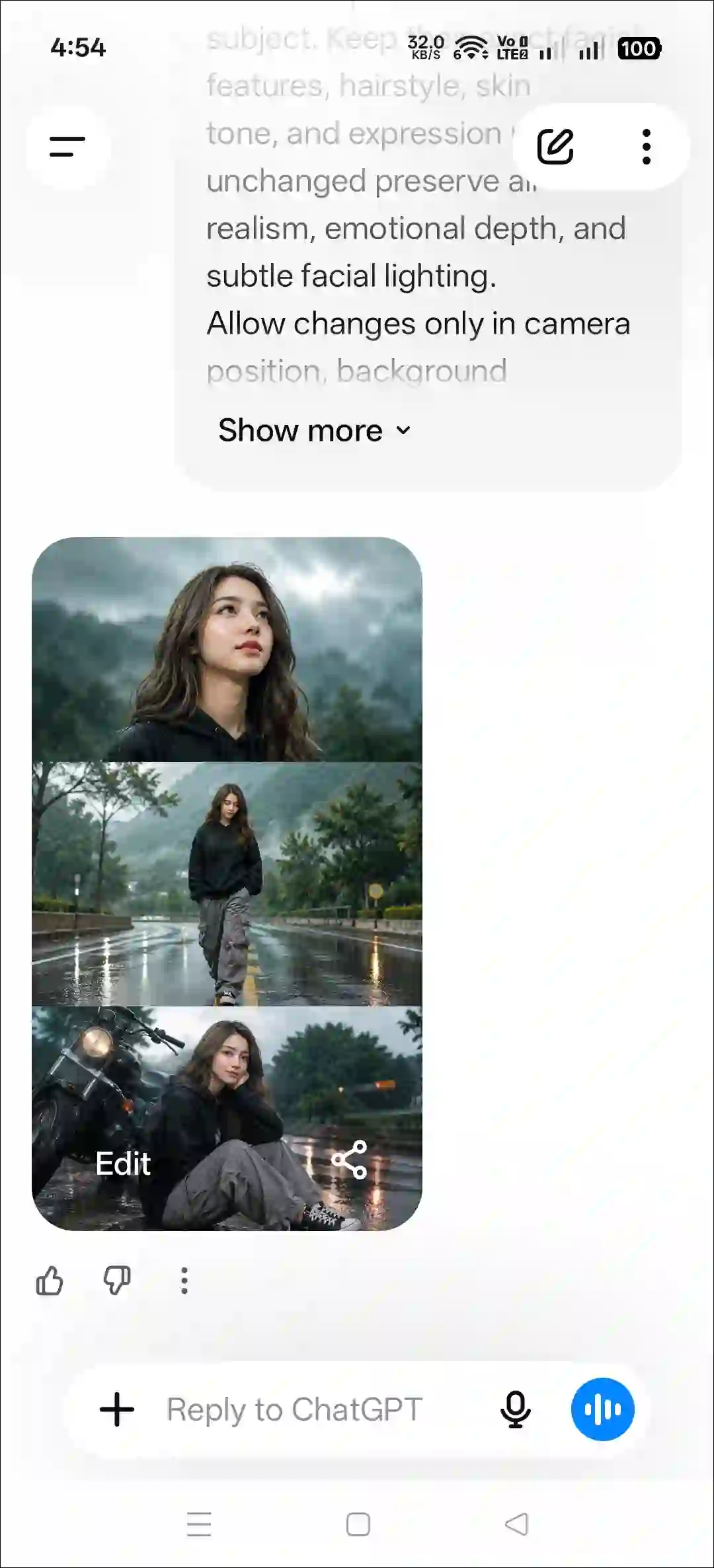
This rainy collage photo looks completely cinematic and is divided into three vertical layers. Once generated, in the first layer, you’ll see half of a person looking toward someone. In the second layer, a person walks toward the camera. In the third layer, a person sits down near a bike.
The photo will look completely realistic. You’ll feel like a professional photographer shot it. The background will have a rainy-season vibe, slightly blurry, which gives it that next-level feel. There will be clouds in the sky above, and the reflections of the vehicle lights behind will be visible in the water on the road below.
Here’s How You Can Make 3 Layers Street Rainy Photo Using AI Prompt
Let me tell you, you can create this photo not just with ChatGPT but also with Gemini. Both are generative AI tools, and both can generate such images using the same prompt. I’ve mentioned the necessary prompt and steps below.
Method 1. Using ChatGPT + AI Prompt
Step 1. Open ChatGPT App or Website (Chatgpt.com).
Step 2. Tap on “+” Icon at the Bottom Bar.

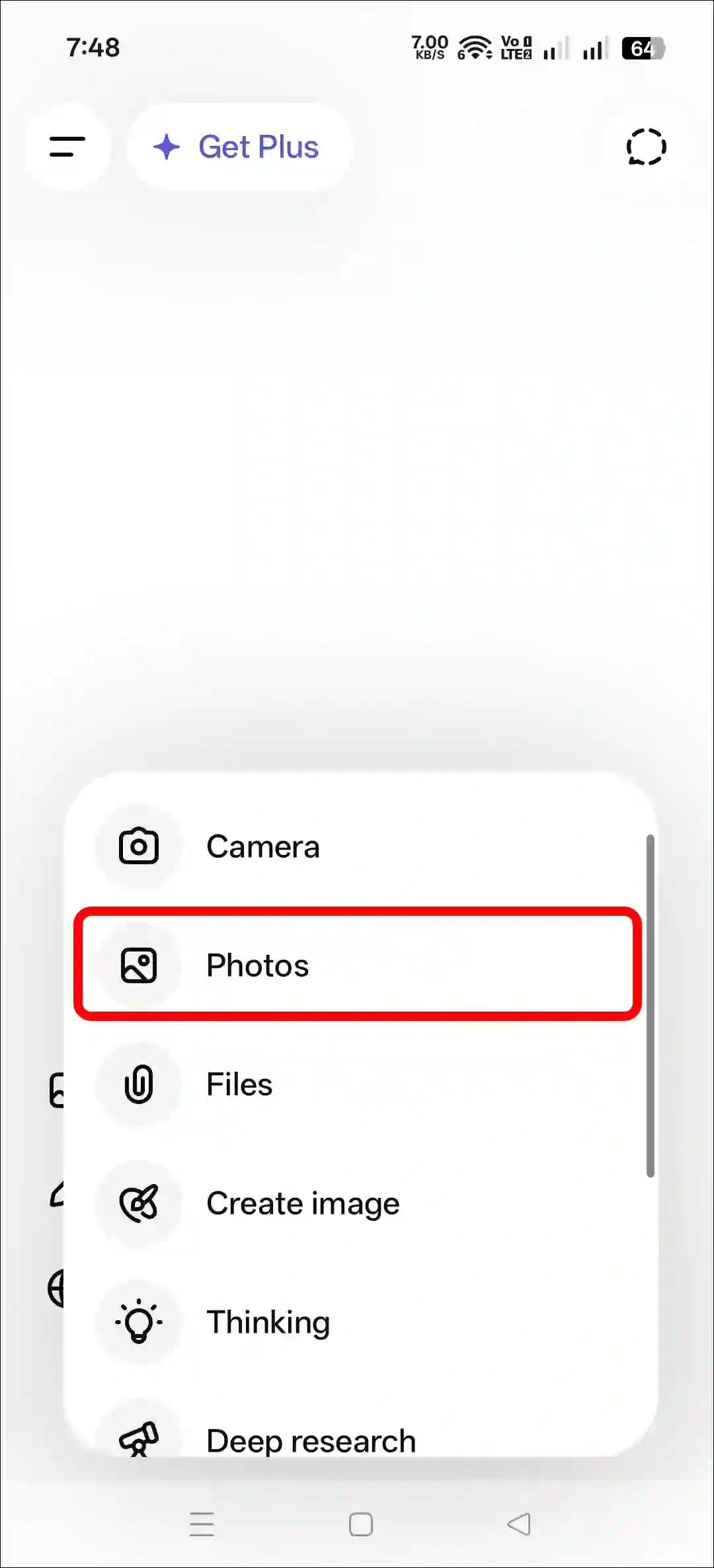
Step 3. Now, Tap on Photos and Upload a Photo as a Reference.
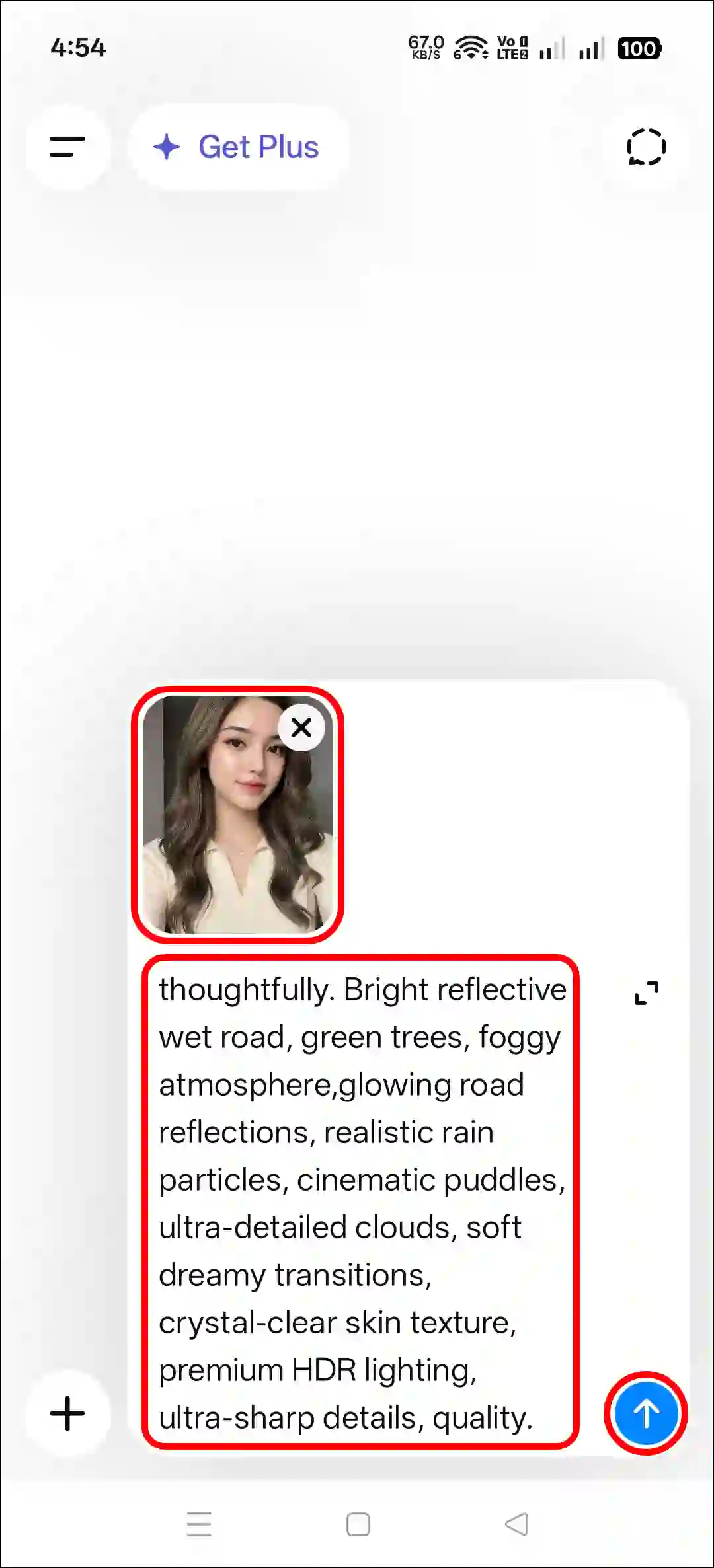
Step 4. Next, Copy and Paste the Prompt and Tap on Arrow Icon.
Step 5. Now, Your Photo is Ready to Use.
Method 2. Using Gemini + AI Prompt
Step 1. Open Gemini App or Website.
Step 2. Tap on “+” Icon and Select Images (Create and Edit) Option.
Step 3. Tap on “+” Icon and Select Photos Option and Upload a Picture.
Step 4. Now, Copy and Paste the Following Prompt in the Text Box Tap on Arrow.
Step 5. Wait for a While! Your Photo is Here.
Try More Prompts:
Copy Rain AI Photo Editing Prompt
Use the person from the reference photo as the main subject. Keep their exact facial features, hairstyle, skin tone, and expression perfectly unchanged preserve all realism, emotional depth, and subtle facial lighting. Allow changes only in camera position, background motion, outfit and atmosphere. brown skin, Create ultra-premium rainy road cinematic collage in vertical 9:16 ratio with three emotional frames during bright overcast daylight after rain. Same exact face in all frames. Wear black oversized hoodie, grey cargo pants and sneakers. Top frame looking upward at sky with raindrops on face, middle frame walking alone on wet road, bottom frame sitting beside bike thoughtfully. Bright reflective wet road, green trees, foggy atmosphere, glowing road reflections, realistic rain particles, cinematic puddles, ultra-detailed clouds, soft dreamy transitions, crystal-clear skin texture, premium HDR lighting, ultra-sharp details, quality.FAQs
Q 1. How to give a rain effect in a photo
Answer – You can add a rain effect to a simple photo using ChatGPT or Gemini along with an AI prompt. It will look completely realistic, as if shot by a professional.
Q 2. Is this rainy photo editing prompt free?
Answer – Yes! This prompt is completely free, and you can copy it to your device’s clipboard with just a single click. Then you can paste it anywhere and generate unlimited photos.

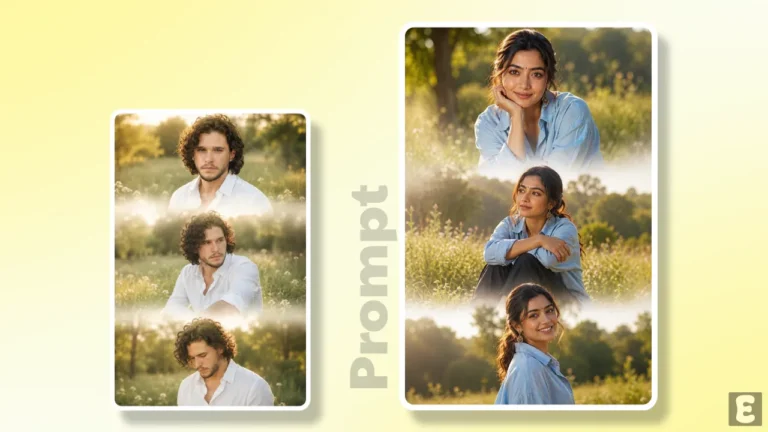
Photo editing
Thanks