
Instagram’s Trending Aaryan Kelvin Photo Editing Prompt (ChatGPT and Gemini)
Aaryan Kelvin is a popular Instagram creator, and at the time of writing this article, he has 19 million followers on Instagram. Everyone dreams of clicking photos with viral creators like that, but not everyone gets to see that dream come true. But what if I tell you that you can actually click a photo with Aaryan Kelvin?
Yes! You can easily create photos with Aaryan Kelvin using AI tools like ChatGPT and Gemini. For this, you just have to upload the reference image of both of you (Aaryan Kelvin and you) and paste the trending Aaryan Kelvin photo editing prompt; your work will be done in a few seconds.
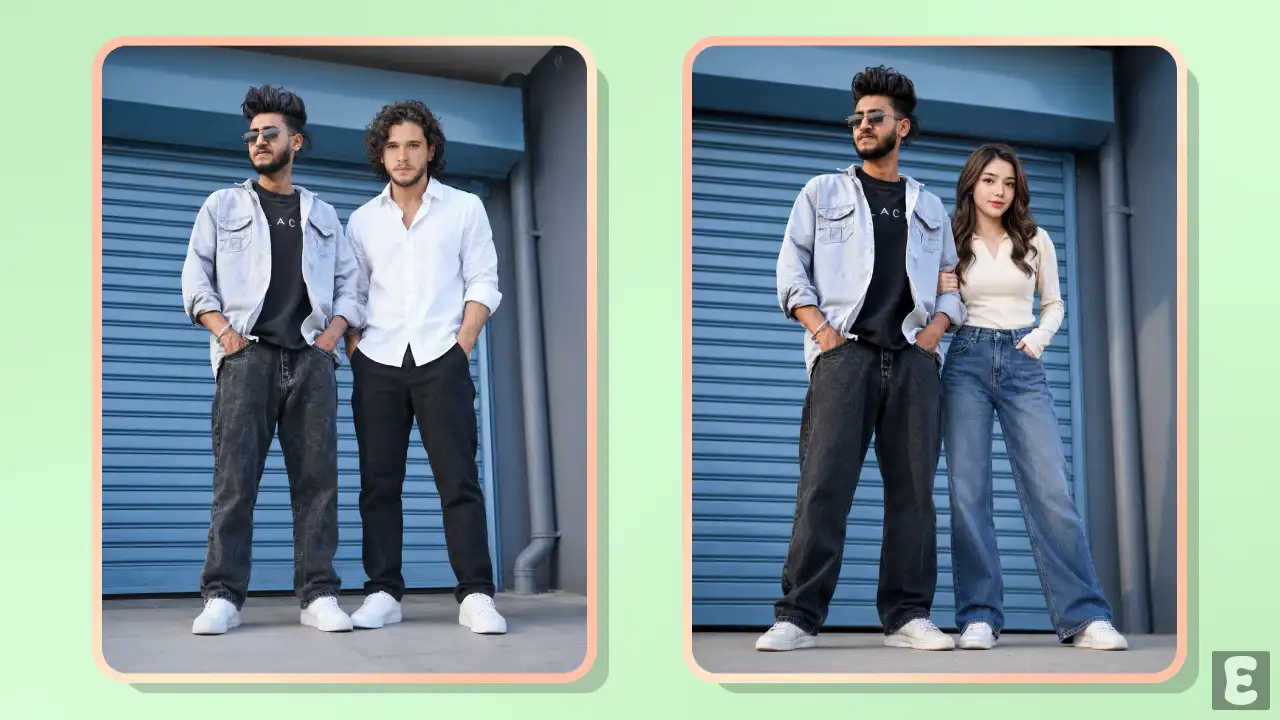
Why Create a Photo with Aaryan Kelvin?
Aaryan Kelvin claims that he is Instagram’s algorithm. Whenever he appears in any Instagram post or reel, that post or reel goes viral and gets millions of views and likes. You can also get good views by making photos with Aaryan Kelvin, and you can also become popular.
- Massive Reach & Virality
- Community Engagement
- Algorithmic Boost
- Targeted Indian Demographic
- Instant Follower
- High Comments
- Increased Shareability
- Collaboration Opportunities
What Is Trending Aaryan Kelvin Photo Editing Prompt?
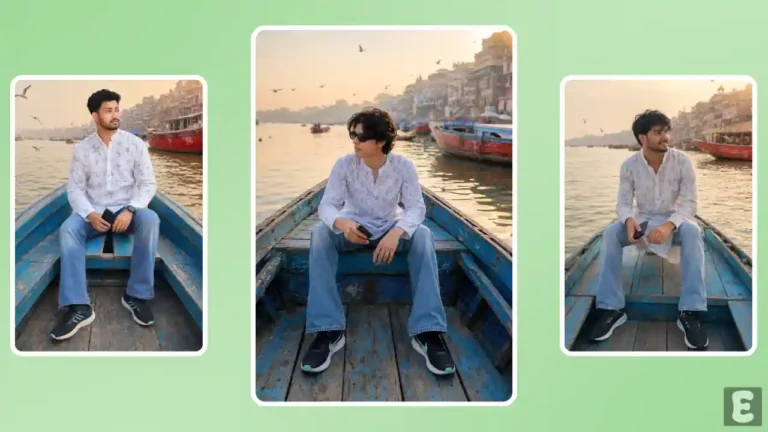
This trending Aaryan Kelvin photo editing prompt is a creative AI prompt designed specifically for editing other people’s photos along with Aaryan Kelvin. Using this prompt, any person (boy or girl) can create their own photo with Aryan Kelvin.
The best part is that once the image is generated, it looks completely realistic. No one can tell at first glance that it was made by an AI. And by sharing it, you can get a large number of views, comments, and likes on Instagram in a very short time.
How to Make Photo with Aaryan Kelvin using AI Prompt?
If you want to create a photo of yourself with Aryan Kelvin, here are two methods for you. You’ll also find the prompt below; just copy it with one click and paste it into ChatGPT or Gemini.
Method 1. Using ChatGPT + AI Prompt
Step 1. Open ChatGPT App or Website (Chatgpt.com).
Step 2. Tap on “+” Icon at the Bottom Bar.

Step 3. Now, Tap on Photos and Upload Both of You Photos as Reference.
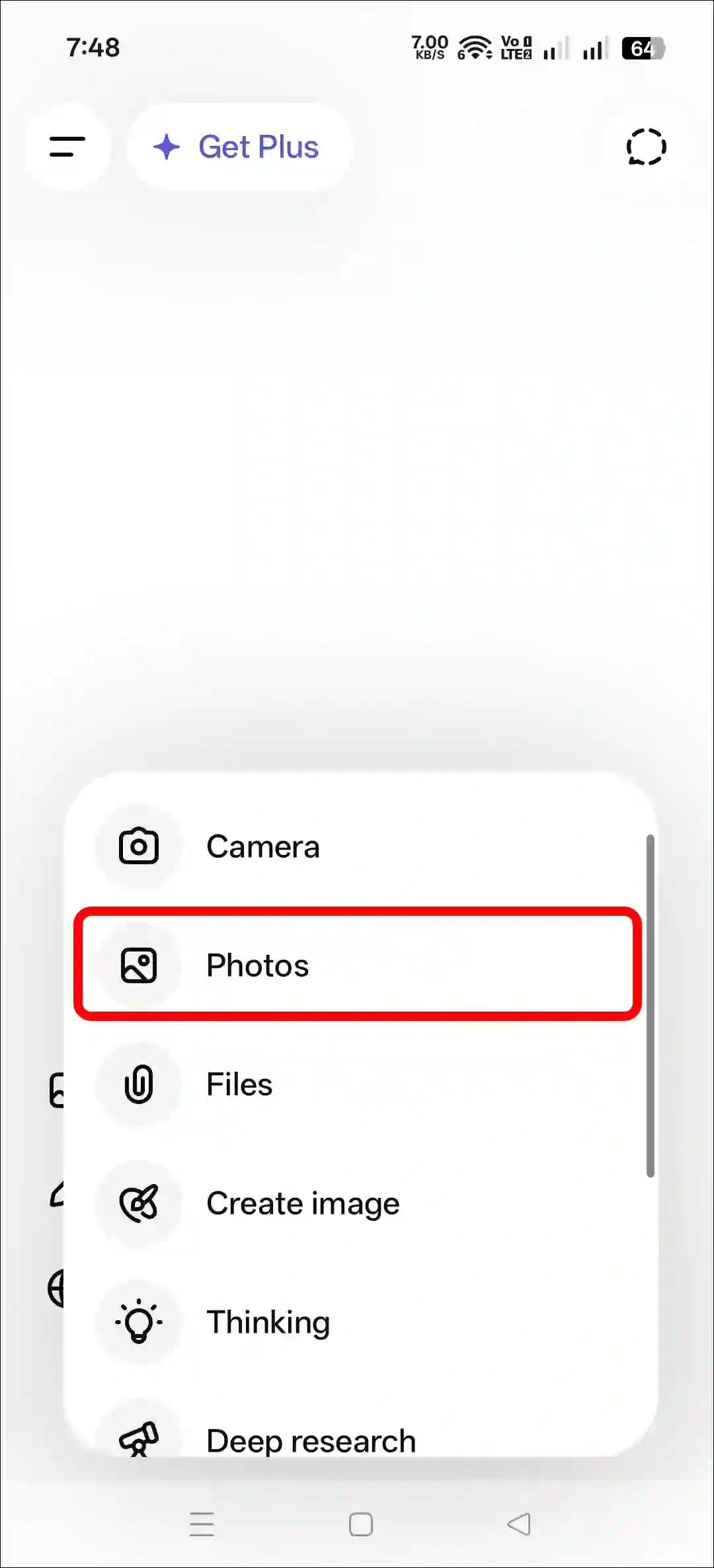
Step 4. Next, Copy and Paste the Prompt and Tap on Arrow Icon.
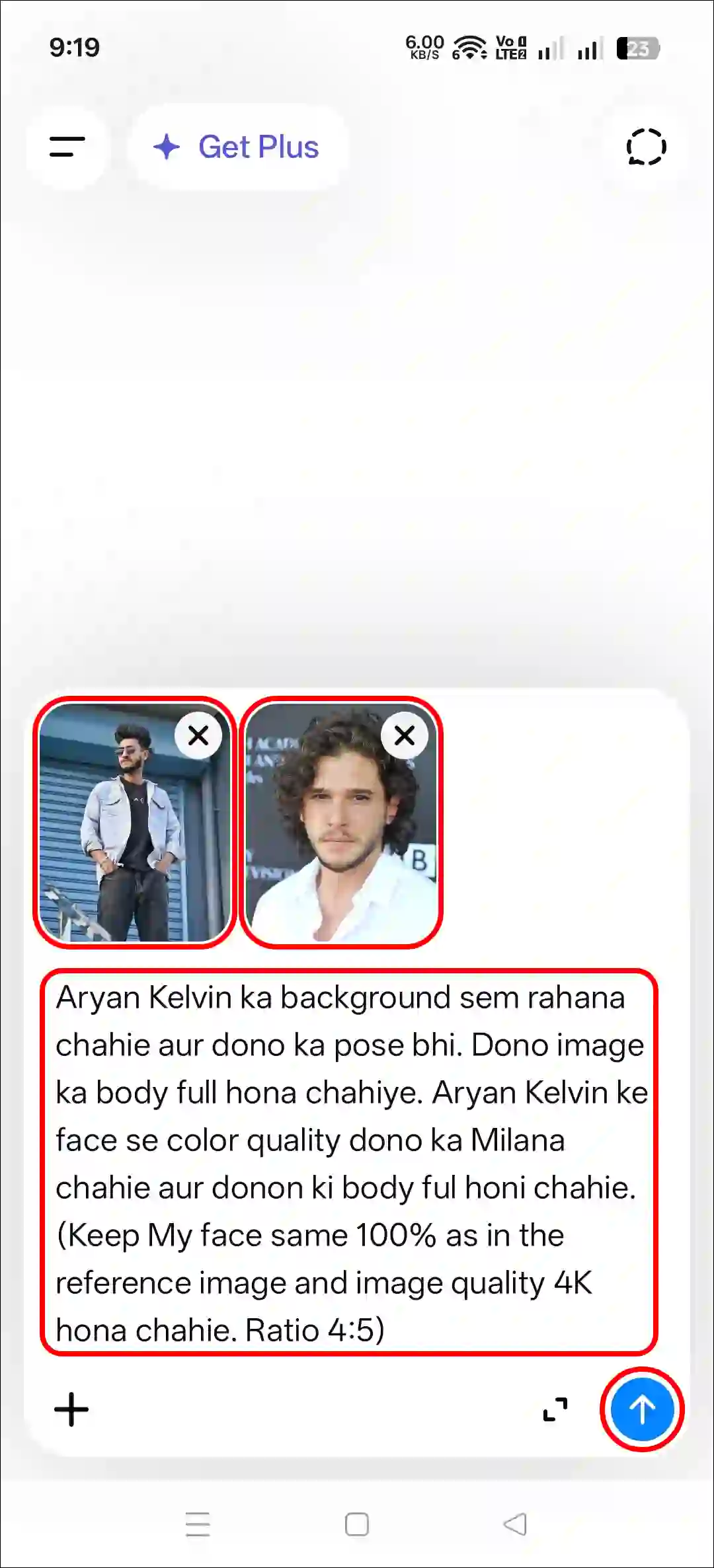
Step 5. Now, Your Photo is Ready to Use.
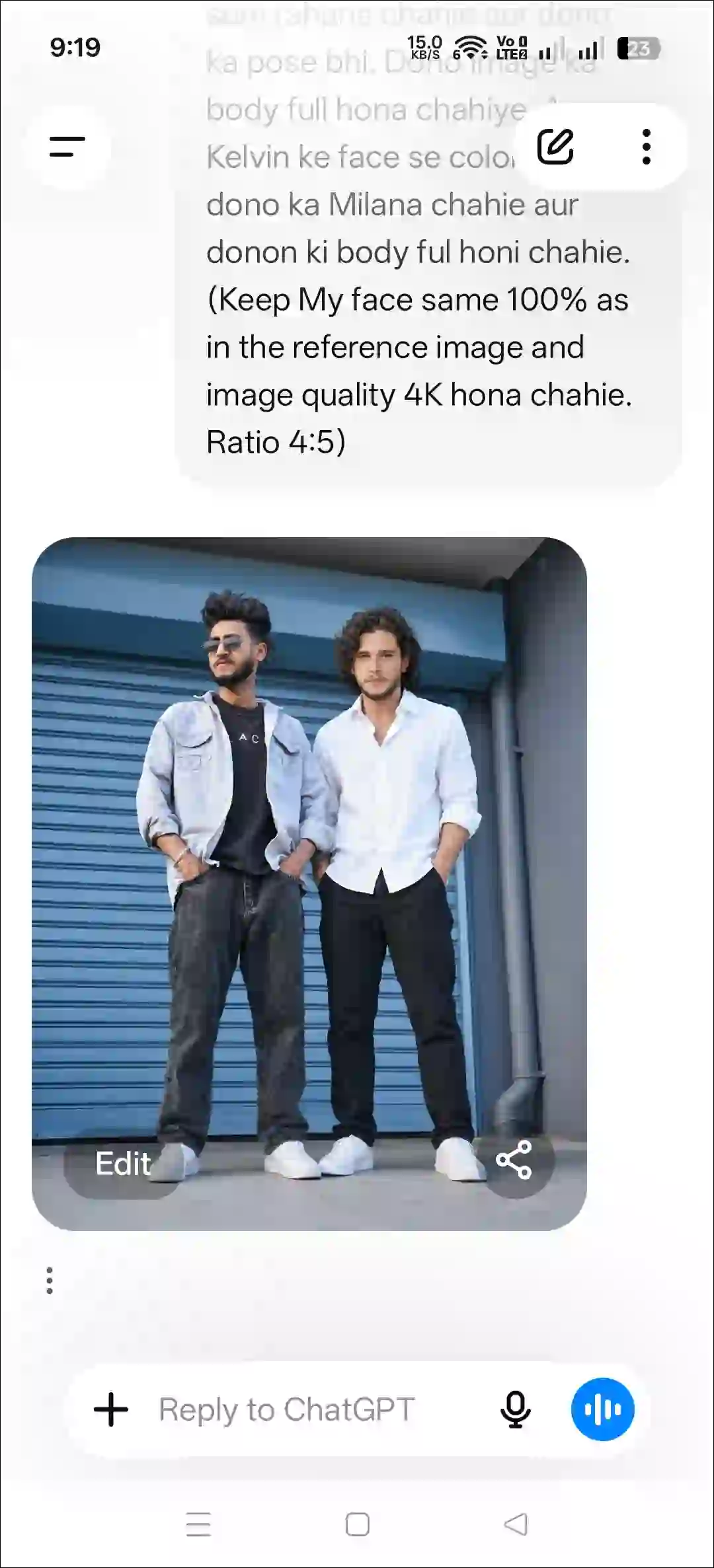
Method 2. Using Gemini + AI Prompt
Step 1. Open Gemini App or Website.
Step 2. Tap on “+” Icon and Select Images (Create and Edit) Option.
Step 3. Tap on “+” Icon and Select Photos Option and Upload a Picture.
Step 4. Now, Copy and Paste the Following Prompt in the Text Box Tap on Arrow.
Step 5. Wait for a While! Your Photo is Here.
That’s all! You’re done…
Copy Viral Aaryan Kelvin Photo Editing Prompt
Aryan Kelvin ka background sem rahana chahie aur dono ka pose bhi. Dono image ka body full hona chahiye. Aryan Kelvin ke face se color quality dono ka Milana chahie aur donon ki body ful honi chahie. (Keep My face same 100% as in the reference image and image quality 4K hona chahie. Ratio 4:5)Try More Viral Prompts:
- Trending Sunset Beach Photo Editing Prompt
- Rain Highway Photo Editing ChatGPT Prompt
- Instagram’s 3 Layer Photo Using ChatGPT Prompt
FAQs
Q 1. Is this AI photo editing prompt free?
Answer – Yes, absolutely! This post gives you the prompt completely for free. You can copy it to your clipboard with just one click and use it as many times as you want, anywhere you like.
Q 2. Can I use this prompt in both Google Gemini and ChatGPT?
Answer – Yes! You can use this prompt in both Google Gemini and ChatGPT AI tools. Both tools are capable of creating a photo of Aryan Kelvin using this prompt.




Aryan Kelvin
Ujan mondal