Transform Photo into Minecraft Background with ChatGPT Prompt
Recently on Instagram, we have seen trends such as the 3-layer photo, Lofi Dusk, the sunset effect, dirty mirror clean, and funny baggy jeans. As we know, such trends last only for a limited time, and right now, Minecraft background photos are going viral on Instagram. Let’s see how you can create this using your own photos.
What is Instagram’s Minecraft Background Photo Editing Trend?
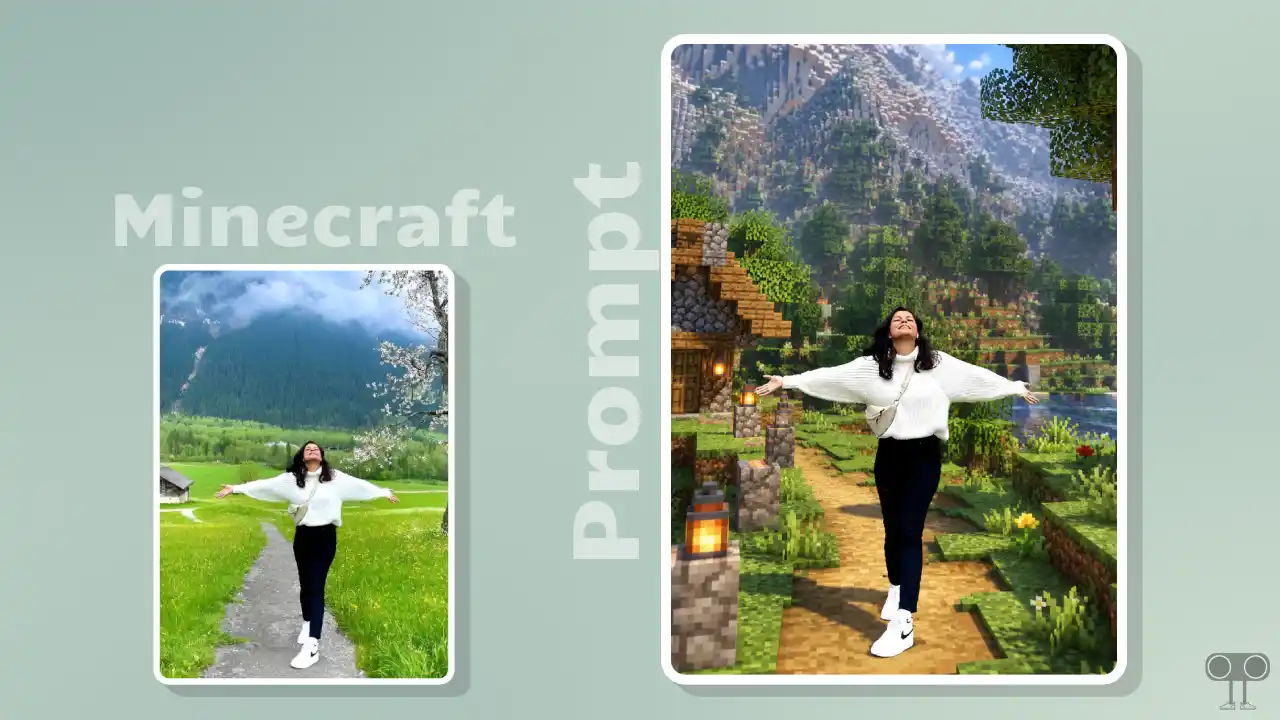
The Minecraft background style is a viral trend on Instagram that people are creating with the help of ChatGPT and a secret prompt. People are transforming the background of their photos into a Minecraft Java Edition world, which gives off a complete gaming vibe. However, the main subject in the photo, the person (boy or girl), stays completely unchanged.
Once generated, the image looks exactly like Minecraft, featuring sharp-edged blocks, clean voxel geometry, and consistent scale in the background. This is currently trending, so you too can create such photos to go viral on Instagram and gain a large number of followers in a short time.
How to Turn Your Photo into Minecraft Java Edition world Using AI Prompt
To create this, you will need a Minecraft background photo prompt; by pasting it into generative AI tools like ChatGPT and Gemini, you can add a Minecraft Java Edition effect to your ordinary photo. I’ve shared the prompt for this below, along with the necessary steps.
Method 1. Using ChatGPT + AI Prompt
Step 1. Open ChatGPT App or Website (Chatgpt.com).
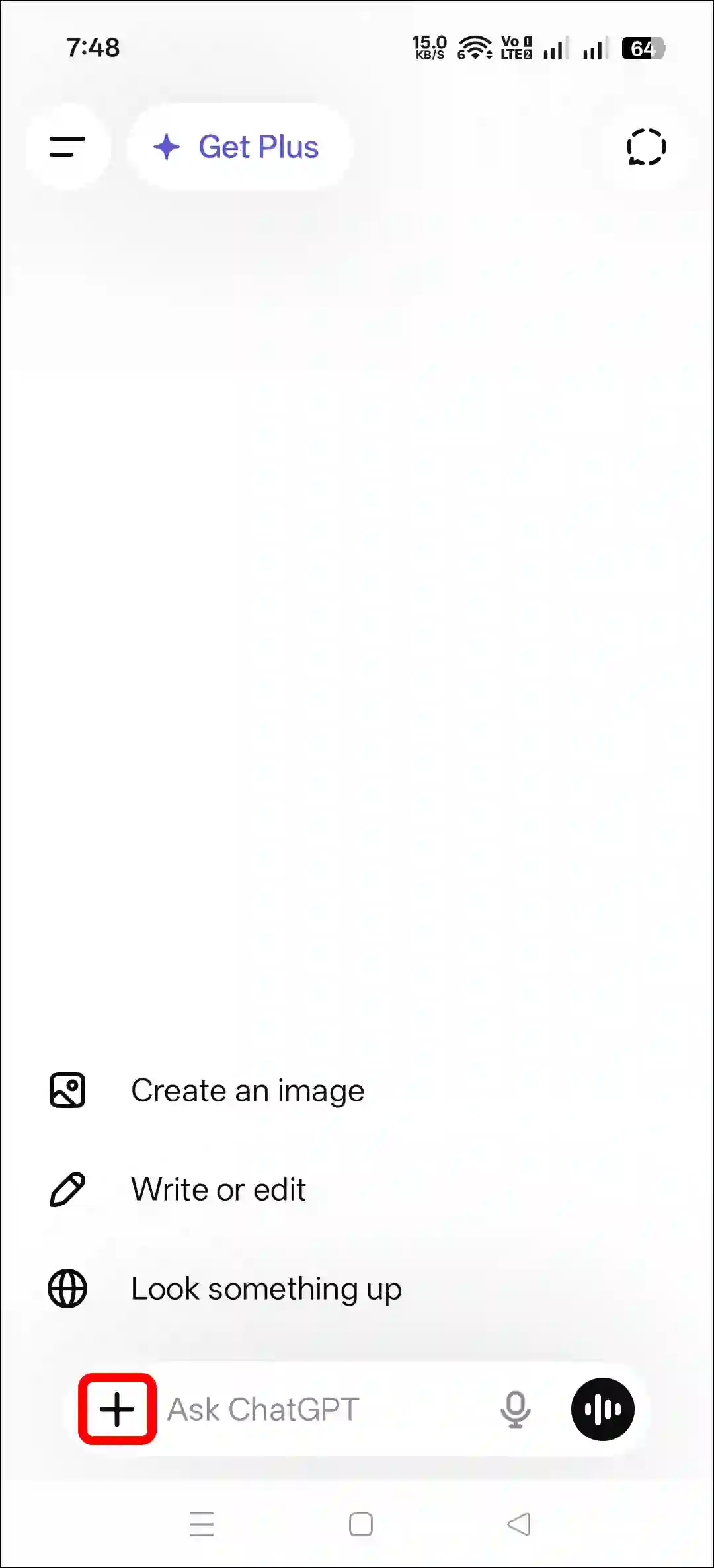
Step 2. Tap on “+” Icon at the Bottom Bar.
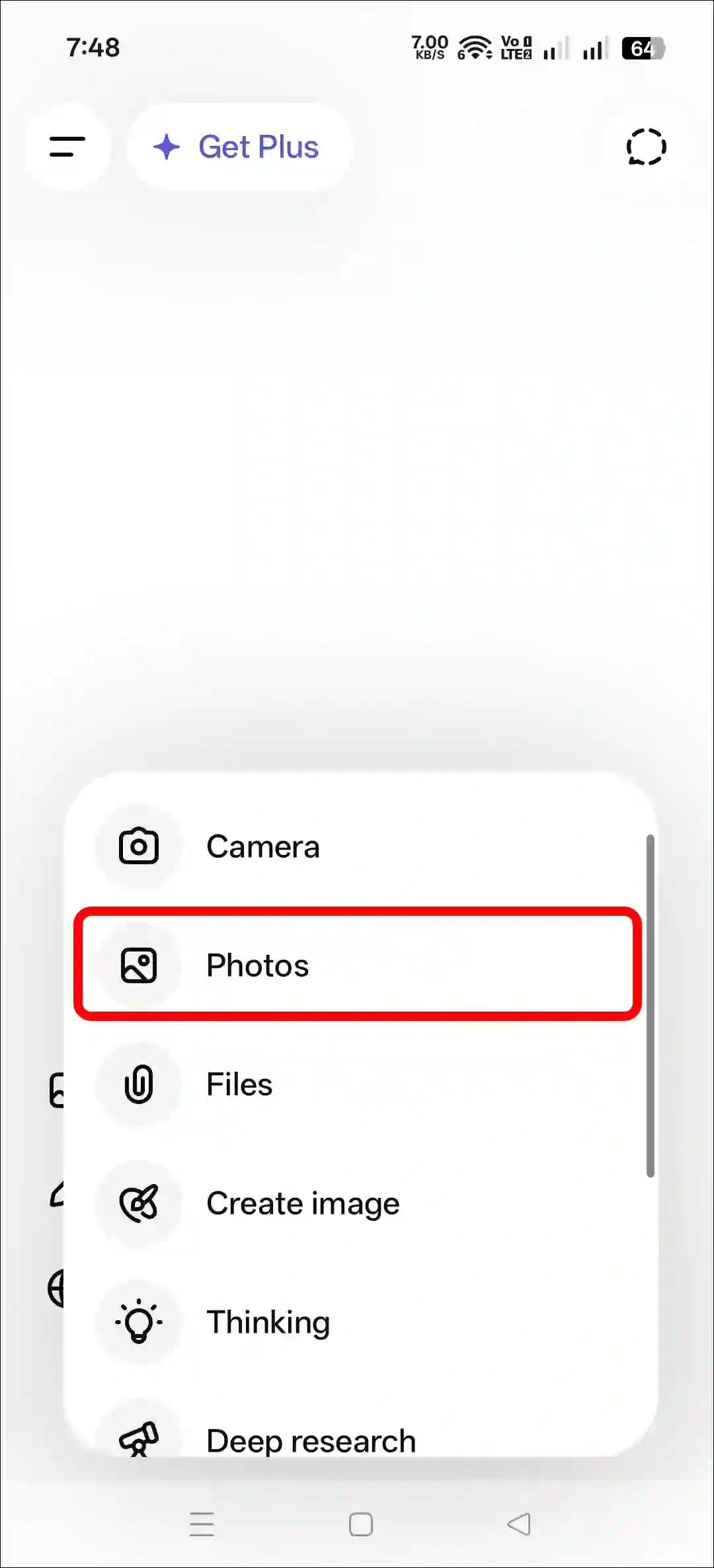
Step 3. Now, Tap on Photos and Upload a Photo as a Reference.
Step 4. Next, Copy and Paste the Prompt and Tap on Arrow Icon.
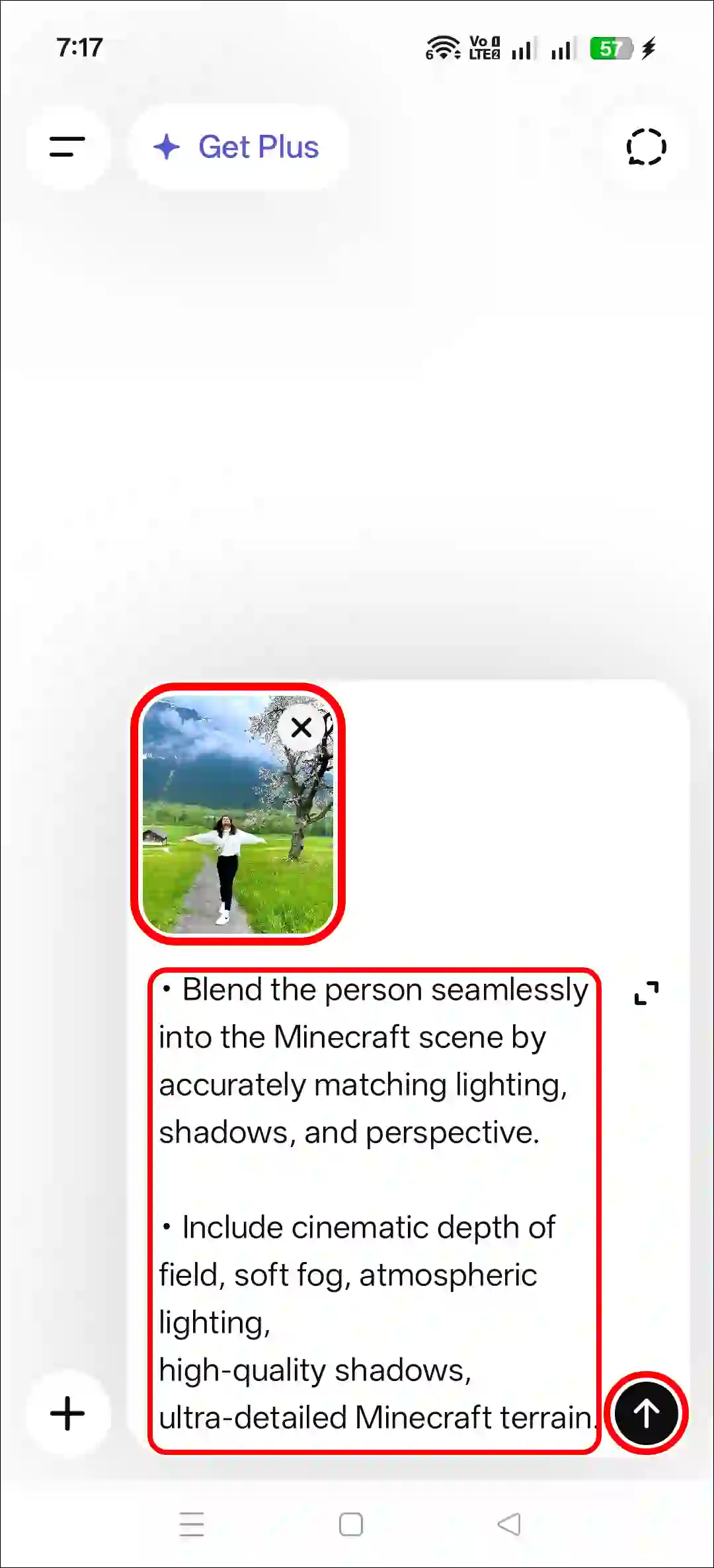
Step 5. Now, Your Photo is Ready to Use.
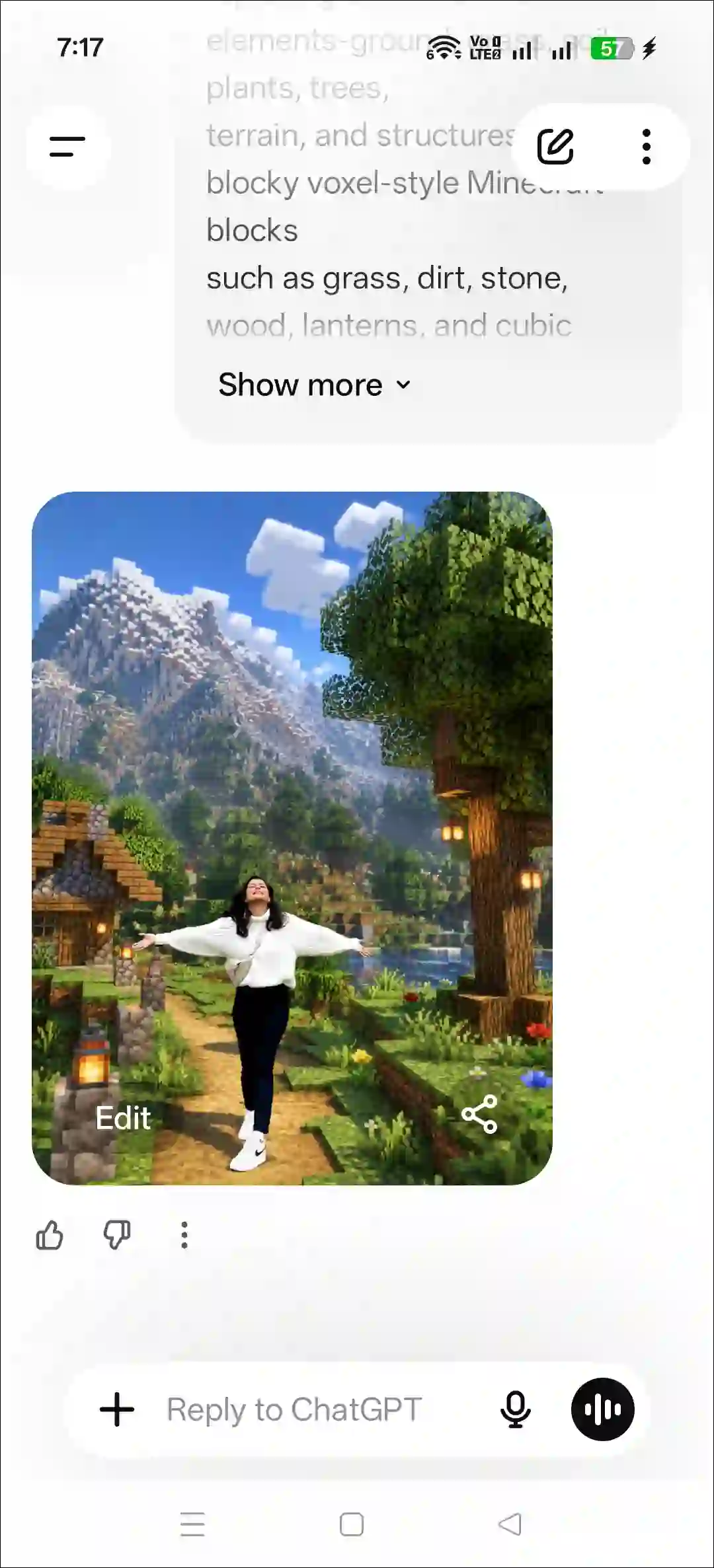
Method 2. Using Gemini + AI Prompt
- Open Gemini App or Website.
- Tap on “+” Icon and Select Images (Create and Edit) Option.
- Tap on “+” Icon and Select Photos Option and Upload a Picture.
- Now, Copy and Paste the Following Prompt in the Text Box Tap on Arrow.
- Wait for a While! Your Minecraft Effect Photo is Here.
That’s it! As soon as your Minecraft-style photo is ready, you can share it on your Facebook or Instagram Story and Feed. You can also use popular Minecraft-related hashtags to help more people see your post.
Copy and Paste Trending Minecraft Photo Editing Prompt
Transform the background into a Minecraft Java Edition world,
replacing all environment elements-ground, grass, soil, plants, trees,
terrain, and structures-with blocky voxel-style Minecraft blocks
such as grass, dirt, stone, wood, lanterns, and cubic vegetátión.

The background must clearly look like Minecraft, featuring
sharp-edged blocks, clean voxel geometry, and consistent scale.

Person Preservation

• Keep the person completely unchanged, photorealistic, ultra-sharp,
and natural, with no edits to their face, skin, body, hair, clothes,
colors, or proportions. Do not stylize, alter, or convert the person
in any way.

• Blend the person seamlessly into the Minecraft scene by
accurately matching lighting, shadows, and perspective.

• Include cinematic depth of field, soft fog, atmospheric lighting,
high-quality shadows, ultra-detailed Minecraft terrain.