
Instagram’s Instants Feature! Here’s How to Use or Disable It
Instagram has introduced a brand-new feature called “Instants,” which is available both as a built-in feature within the Instagram app and as a standalone app. Let’s find out what this feature is, how to use it, and how to disable it if you don’t like it.
What is an Instants Feature on Instagram?
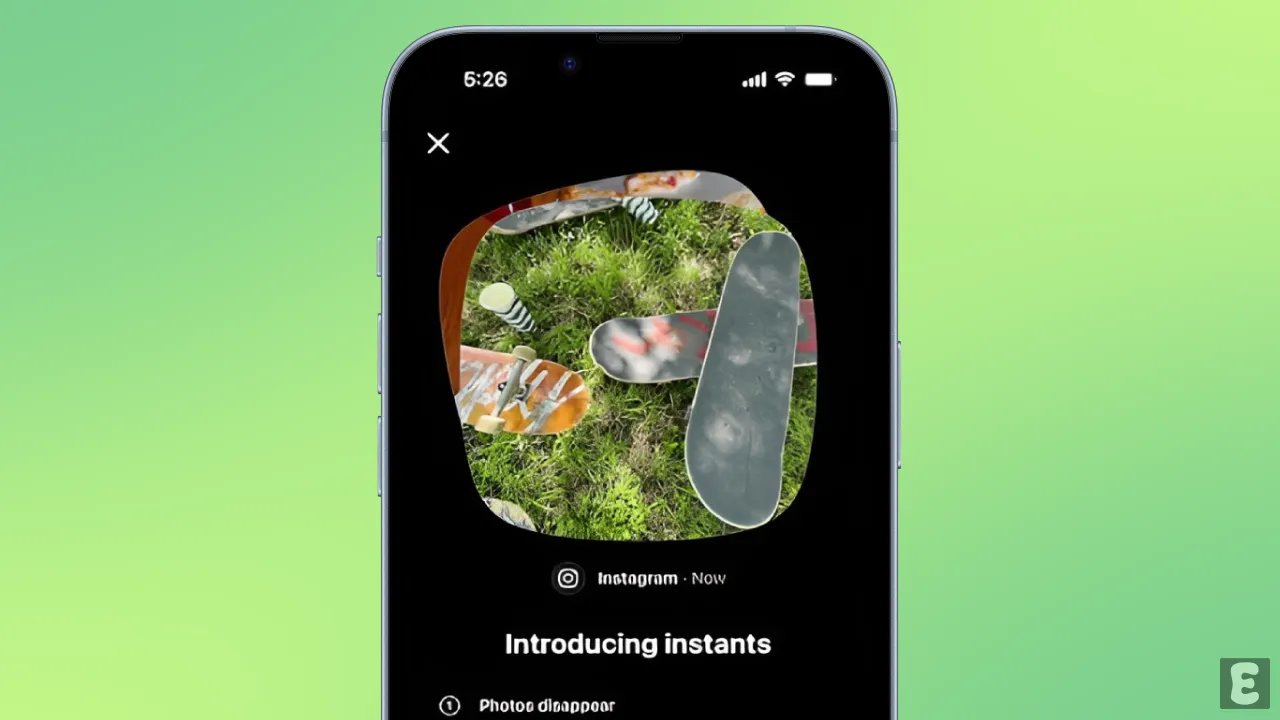
Instagram now has a Snap-type feature called “Instants” that lets you take and share unpolished, real-time photos with your close friends or mutual followers. This feature is very similar to BeReal and Snapchat.
The “Instants” app is also available on the Play Store and App Store, which you can use by logging in with your Instagram account. However, you can also use this ‘Instants’ feature right inside your Instagram DMs without needing to download the app.
The coolest thing about this “Instants” feature is that as soon as your friend opens the photo, it disappears so they can’t see it again. This is a real-time photo feature, so you cannot upload filtered or edited pictures from your phone’s photo library.
How to Use Instagram’s New Instants Feature
Let’s find out how you can use this feature on your Android and iPhone.
Step 1. Open Instagram App and Go to DM and Tap on Instants “+” Icon.
Step 2. Tap on Friends at Bottom and Select “Friends” or “Close Friends”.
Step 3. Tap the Bottom of the Camera Preview and Add Caption.
Step 4. Tap on Shutter Button to Capture the Moment.
Step 5. To View Shared Instants, Tap on Album Icon at the Top Right.
Step 6. Tap and Hold the Shared Instants to Download or Delete It.
Also read: How to Repost a Post or Reel on Instagram
How to Turn Off Instants Feature on Instagram DMs?
If you don’t like the Instants feature in Instagram DMs and want to get rid of it, Instagram gives you an option to do so. You can go into Instagram Settings and remove the Instants feature from your Instagram inbox. I’ve listed all the steps below, one by one.
To disable Instagram’s Instants feature in inbox:
- Open Instagram App on Your Phone.
- Go to Your Profile and Tap on Three ≡ Lines at Top Right.
- Scroll Down and Tap on Content Preferences.
- Simple Enable the “Hide Instants in Inbox” Toggle.
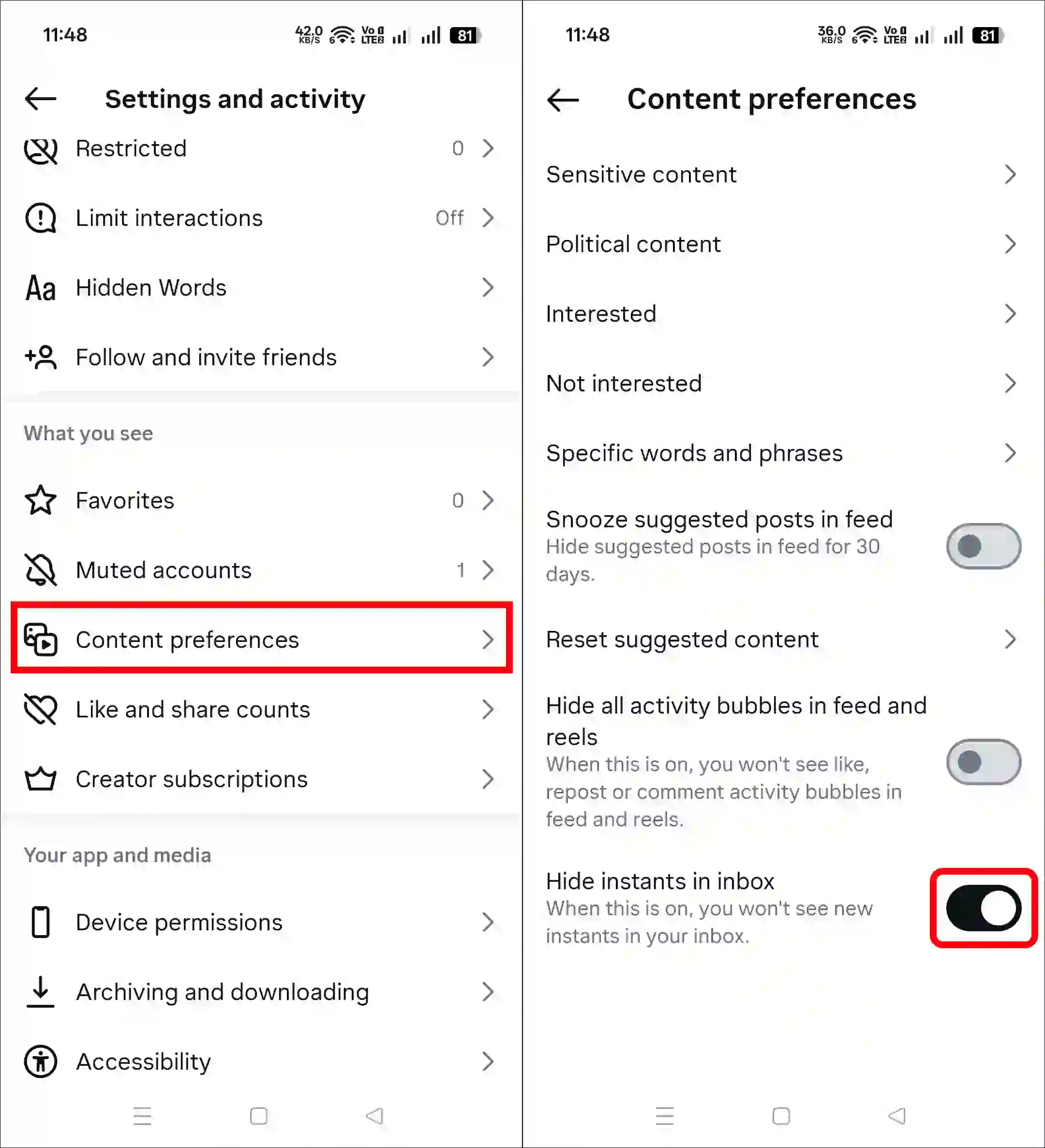
Fix Instants Feature in Instagram Inbox
Now, everyone can use the feature of Instants on Instagram. If you do not see the Instants option in the inbox, it is mostly due to an app bug, an outdated app version, or a corrupted cache. You can solve the problem using the methods below.
1. Update Your Instagram App
An outdated app often has glitches and bugs that break features. However, Meta always rolls out the latest updates for Instagram. You can update it to the latest version from the Google Play Store or the Apple App Store.
2. Clear Instagram App Cache
- Tap and Hold Instagram Icon.
- Tap App Info.
- Tap Storage Usage.
- Tap Clear Cache.
Note: Please log out of your account and then log back in. This process refreshes your login session and reconnects you with the server.


Lofi dusk open filter
Lofi dusk filter open
My account doesn’t have access to Instagram Instants. The app says “Instants is not available at this time.” Please enable this feature for my account if eligible. Thank you.
Instagram story light Wala story photo kaise banaye
Instagram light wala story photo kese banaya
I id not come to instant please clear the bug
Nice
Photo comment update
Please my instagram setting instants box option show on karke do