
Instagram’s Photostrip Story Feature! What is This and How to Use It
Meta has introduced a new feature called “Photostrip” on Instagram, following Restyle AI and Instants. This feature is part of Instagram Stories. After the rollout of this feature, users are very curious to know about it. Let me tell you about this feature and how you can use it in your Instagram story.
Instagram’s New Photostrip Story Feature
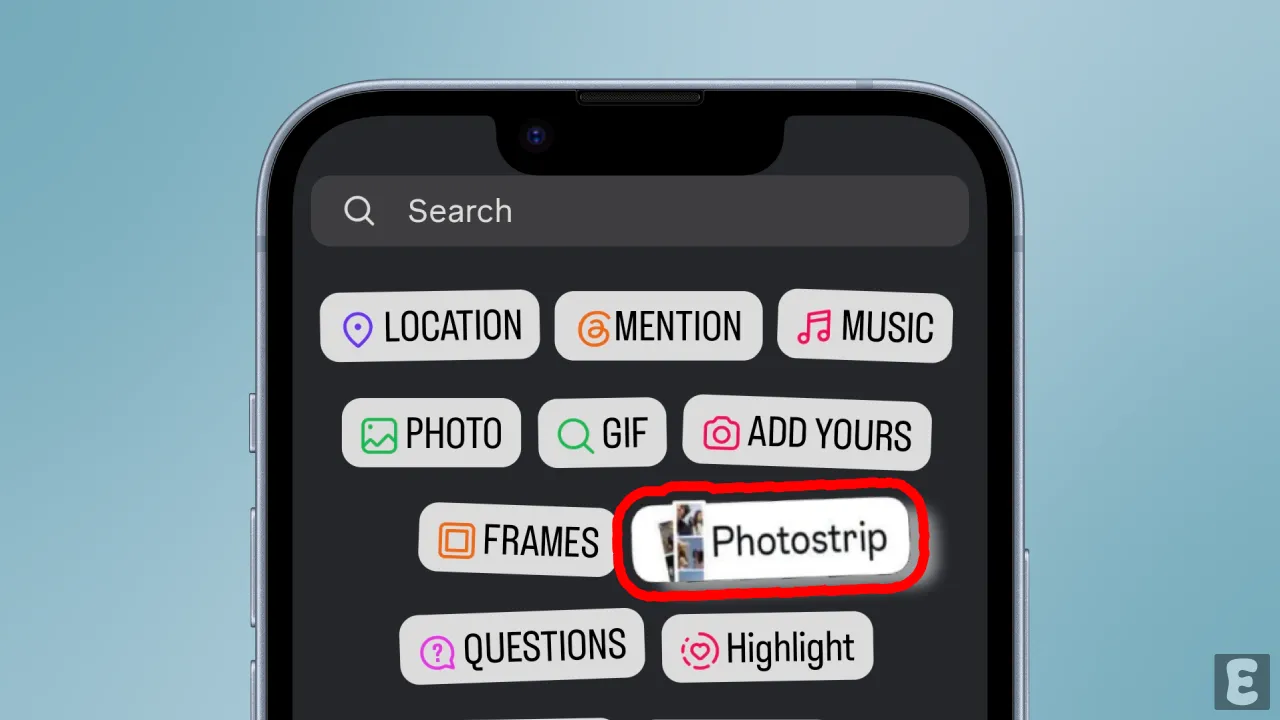
Instagram’s photostrip feature is a vertical collage of three or four photos, and you can find it right inside Instagram Stories. In an Instagram Story, you’ll find the photo strip as a sticker. When you tap on it, you need to pick 3 or 4 photos. After that, Instagram creates a vertical vintage photo booth strip for you.
In the story, this photostrip will float right over your main picture. You can place it anywhere on the screen, resize it, rotate it, and do a lot more. It looks very aesthetic, and Gen Z is really loving it right now.
The best thing is that you don’t need to use any third-party apps or go to any website for this. Since it’s a new feature, just update your Instagram app. After that, you’ll be able to access this photostrip sticker feature right inside your Instagram Story.
How to Use Photostrip Sticker Feature in Instagram Story
After Restyle AI, Photostrip is now a viral trend, and you can be a part of it too. Use Photo Strip sticker in your stories to make them more aesthetic and surprise your followers.
To use instagram’s Photostrip sticker in stories:
Step 1. Open Instagram App on Your Phone.
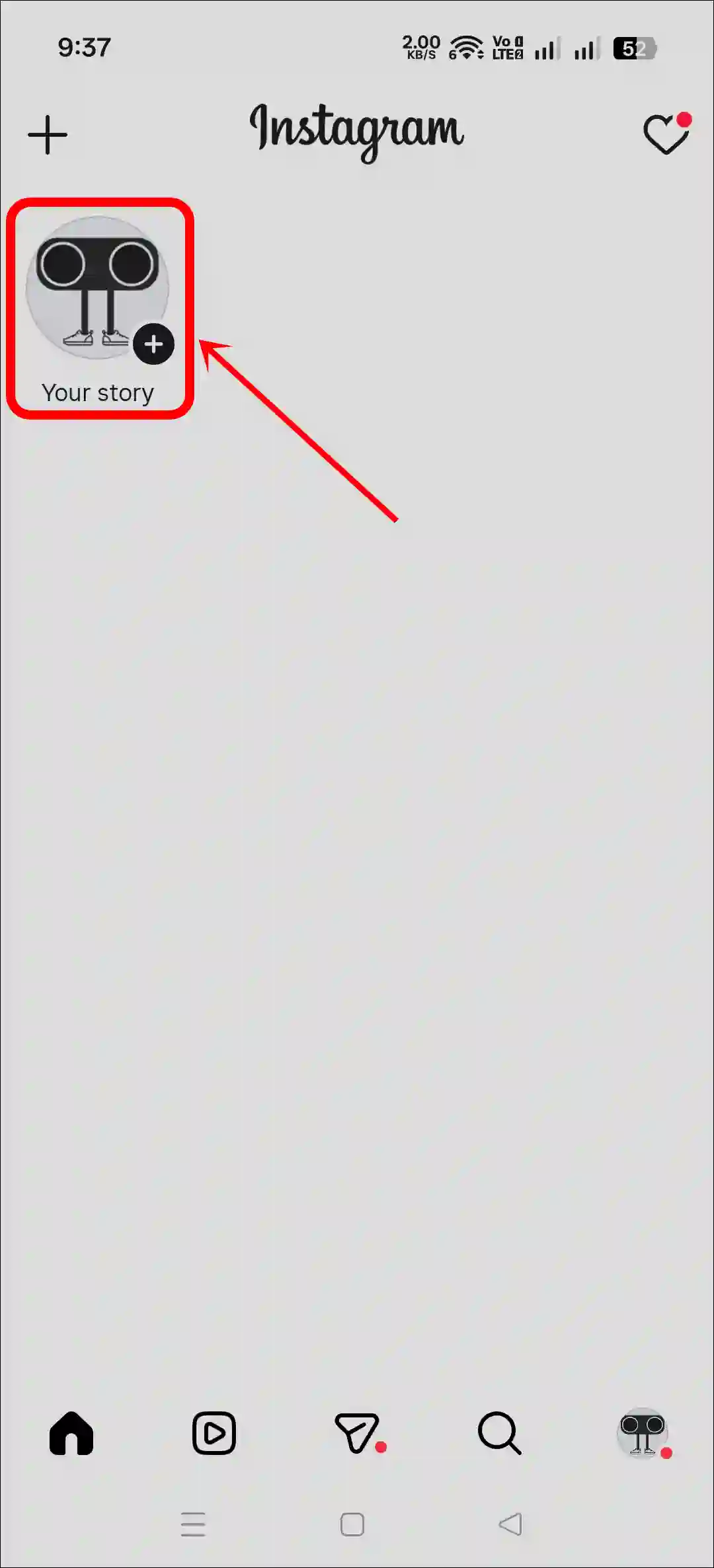
Step 2. Tap on Your Story and Select a Picture.
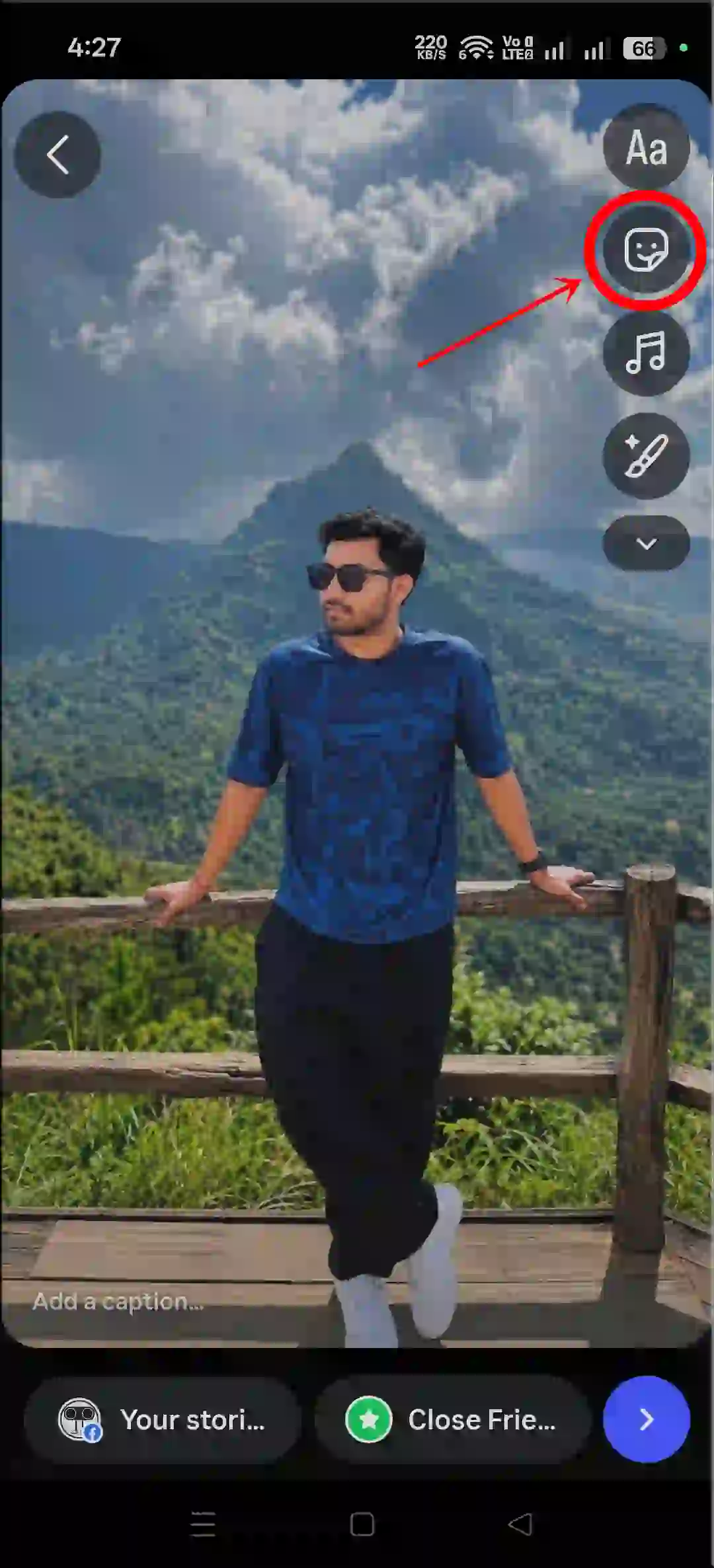
Step 3. Tap on Sticker Icon and Select Photostip Sticker.
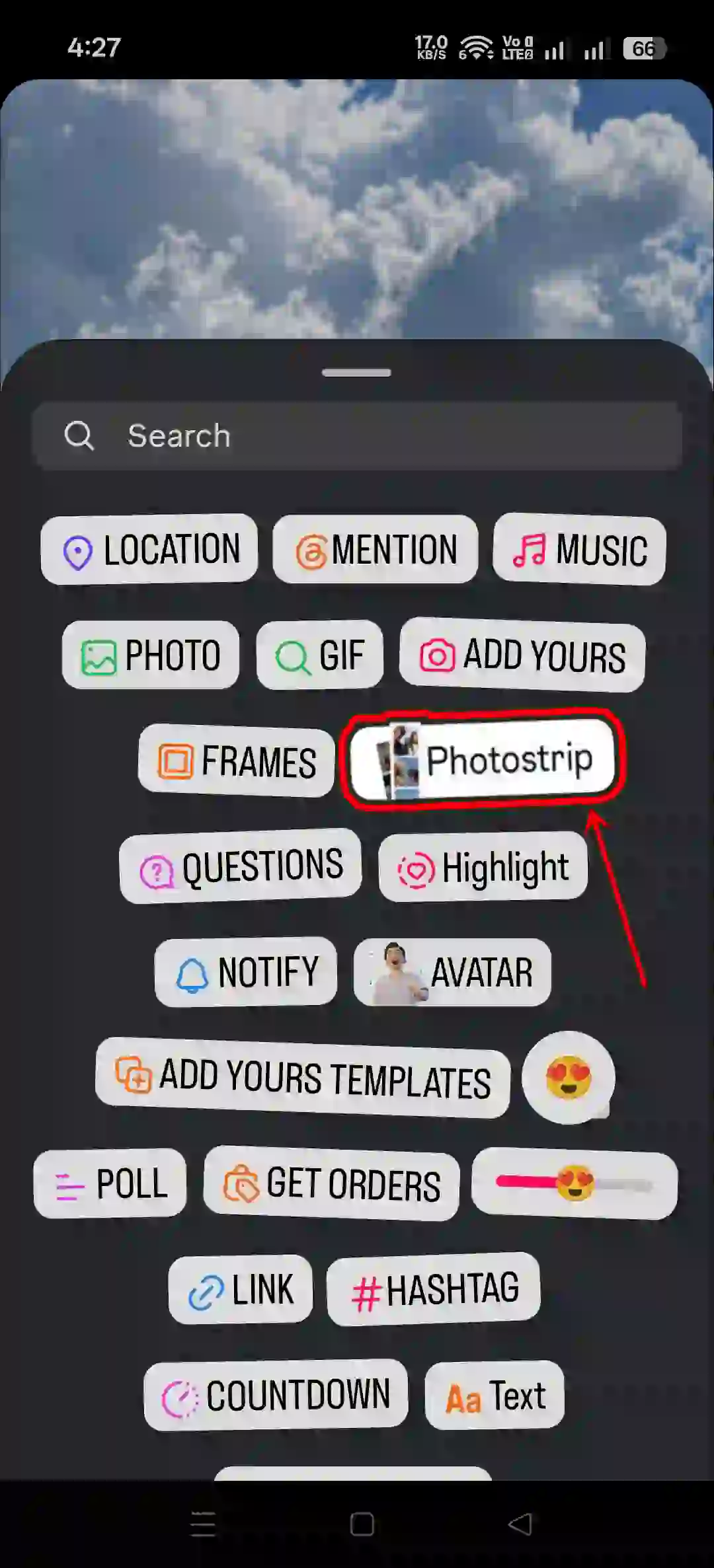
Step 4. Now Select 3 or 4 Pictures from Your Gallery and Tap on Add.
Step 5. Now, Adjust the Photostrip on the Screen and Share It to Your Story.
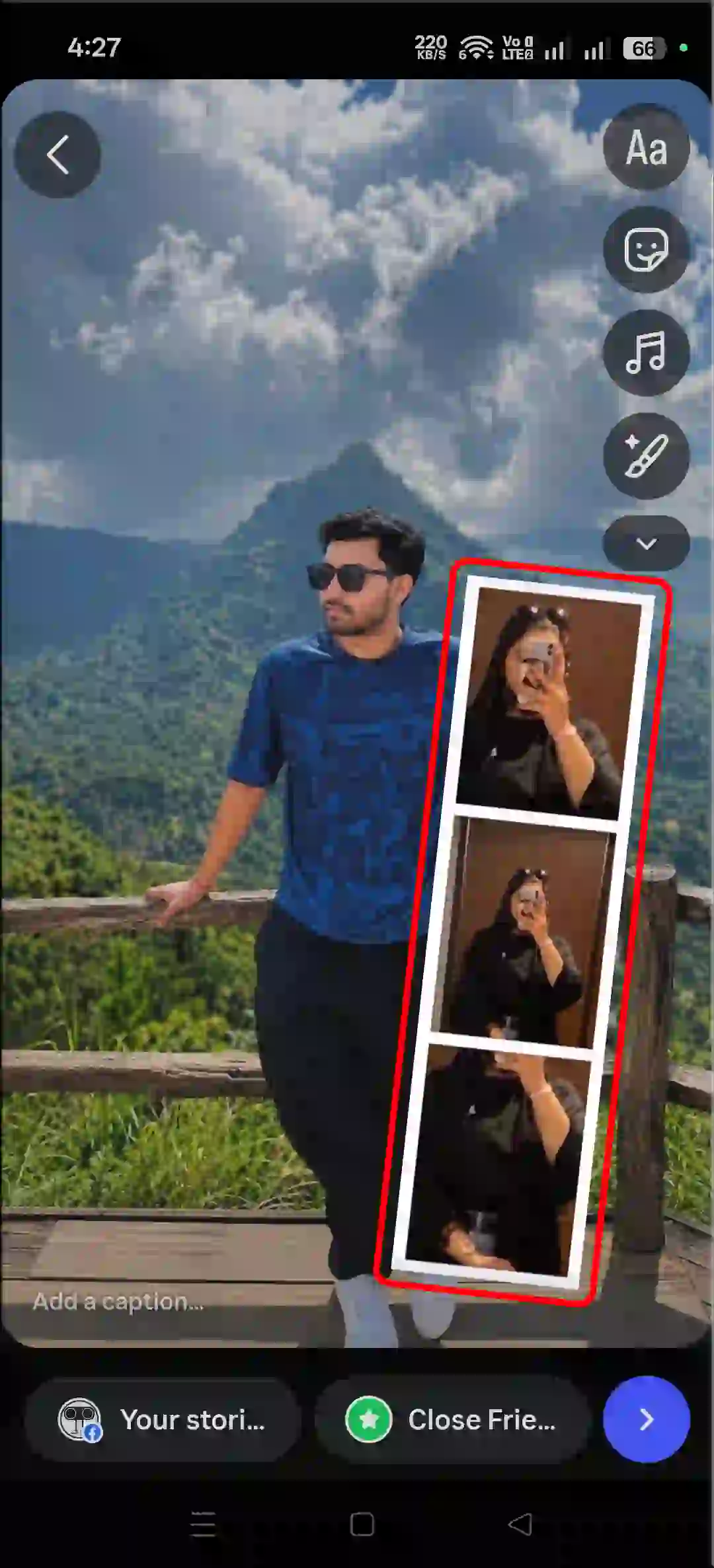
Note: You can add music, stickers, emoji, and more things to make it more attractive.
That’s It! You’re done…
Also read: Repost a Post or Reel on Instagram
Fix Photostrip Sticker Not Showing in Instagram Story
If you can’t see the Photostrip option in your Instagram Story, you’re not alone. Lots of users are missing this feature from their accounts. Here are some common reasons: a new feature, an outdated app, a corrupted cache, and a few others. So let me tell you how you can get this feature.
1. Clear Instagram App Cache
- Tap and Hold Instagram Icon.
- Tap App Info.
- Tap Storage Usage.
- Tap Clear Cache.
2. Update Instagram App
This is a new feature, and that’s probably why you can’t see it on your Instagram yet. Outdated Instagram apps often miss new features. So my suggestion is to update your Instagram app to the latest version from the Google Play Store (for Android) or the Apple App Store (for iPhone) right away and enjoy the feature.
Note: Please log out of your account and then log back in. This process refreshes your login session and reconnects you with the server.





Good
Why my photostrip not available
why is my Instagram is did not have a photostrip