
Instagram’s “Sunset Effect Prompt” That will Edit Your Photo in a Snap
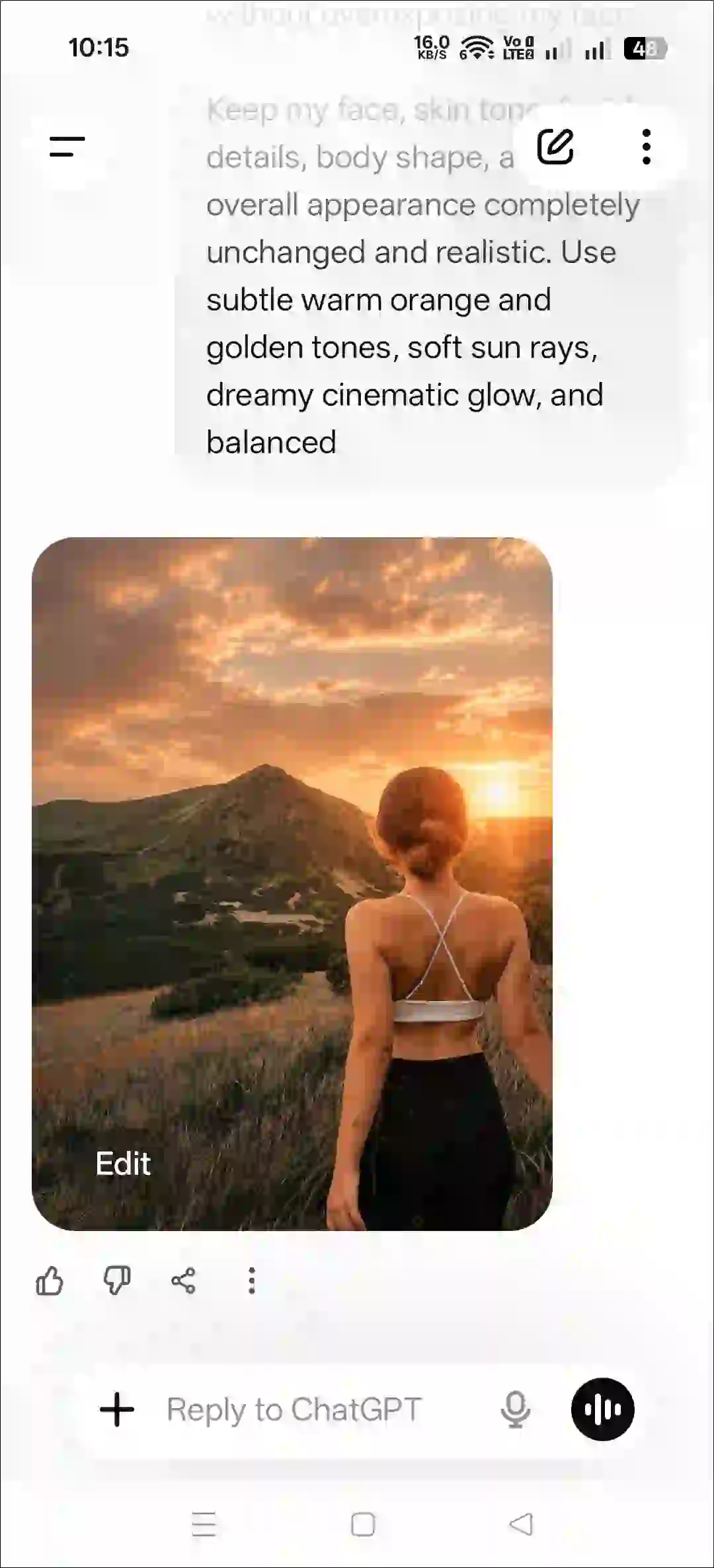
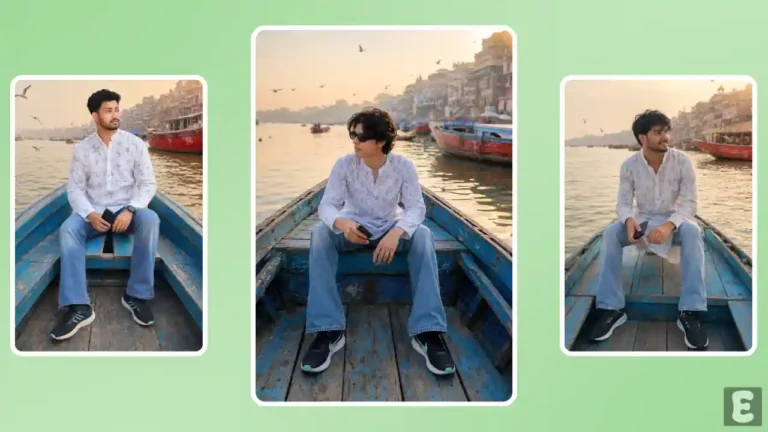
Do you love sunsets but can’t take photos at that time for some reason? Don’t worry! Now you can apply a sunset effect to any of your photos in a snap, and it will look completely realistic. For this, you will need the “Sunset Effect Prompt”, which is mentioned below.
Instagram’s Viral Sunset Effect Prompt
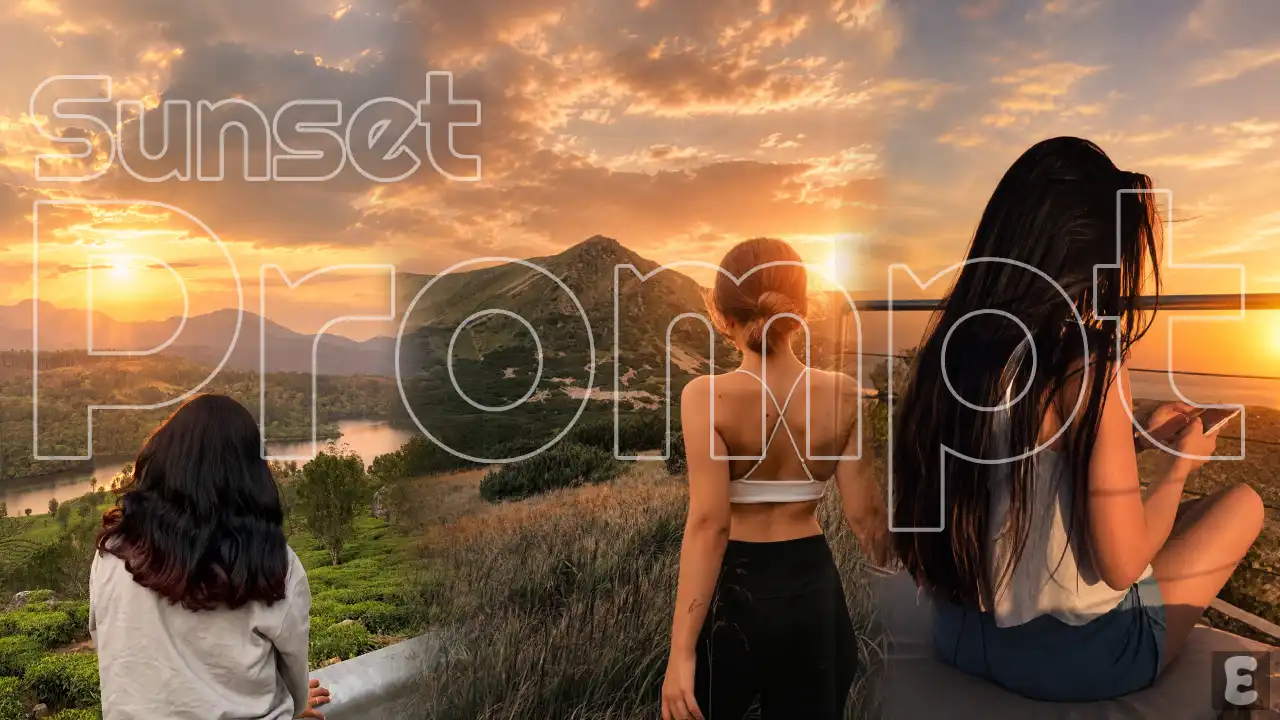
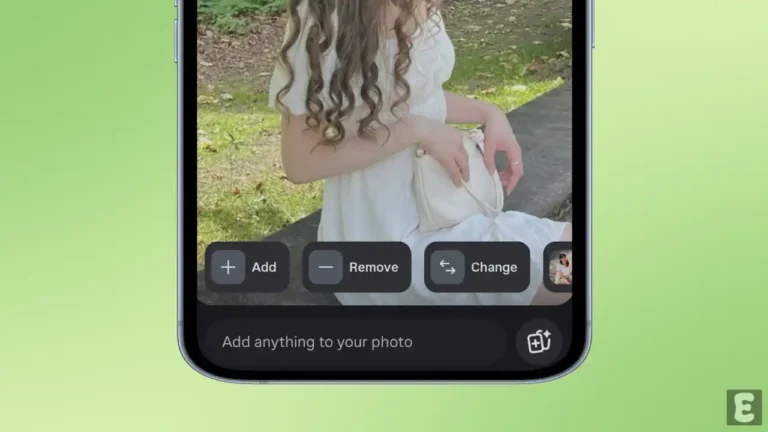
We’ll use Instagram’s Restyle AI feature to add a sunset filter to the photo. While Restyle AI offers numerous presets, we will make our picture even more captivating by entering a custom AI prompt. Following the LoFi Dusk filter, this sunset effect is currently trending significantly on Instagram.
The good thing is that you can use this filter prompt not only in Restyle AI but also in ChatGPT and Gemini. Yes! As soon as you upload your photo to the Gemini or ChatGPT app or website and paste this prompt, your photo will instantly transform into a sunset view.
How to Use Instagram’s Sunset Effect Prompt to Edit Your Photo
1. Using Instagram’s Restyle Feature
- Open Instagram App and Tap on Your Story.
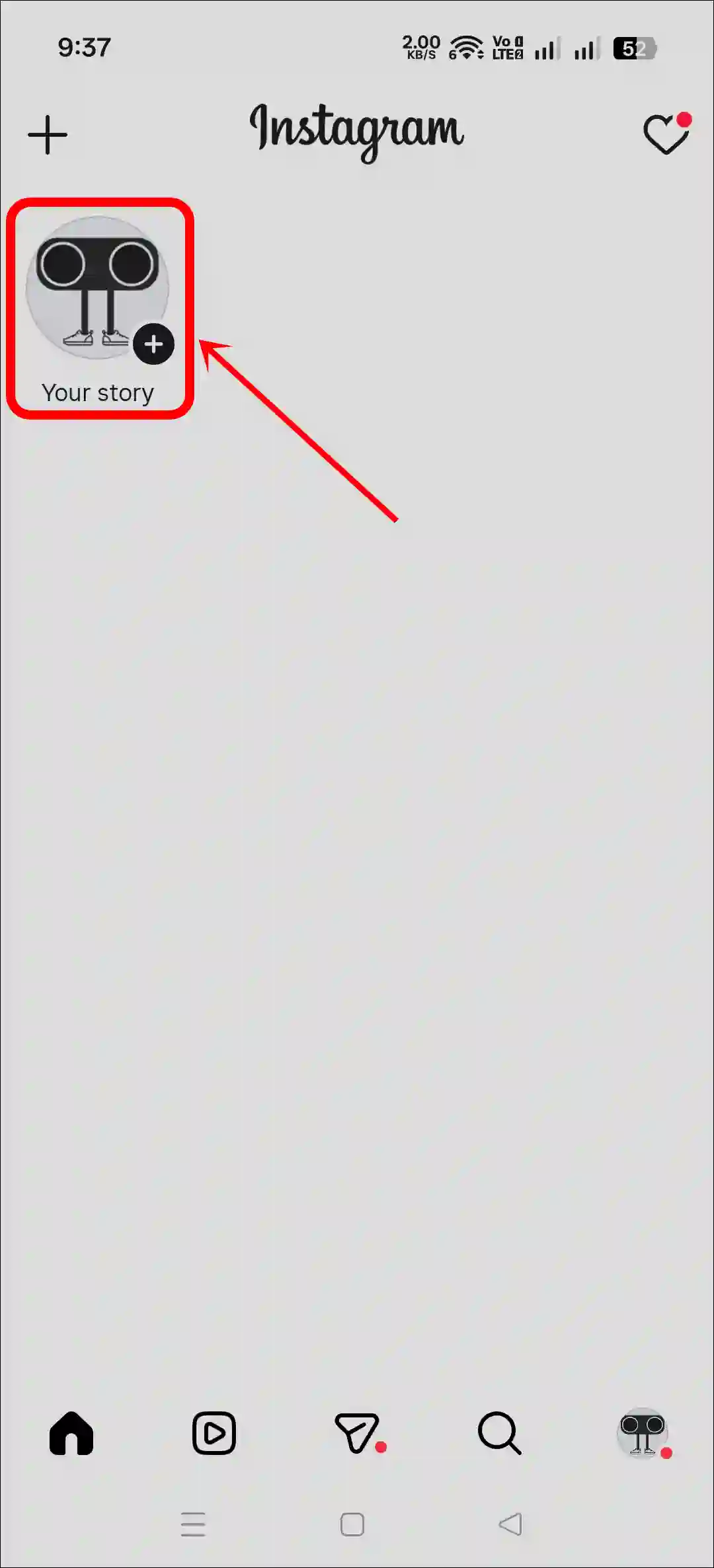
- Select a Picture from Your Gallery.
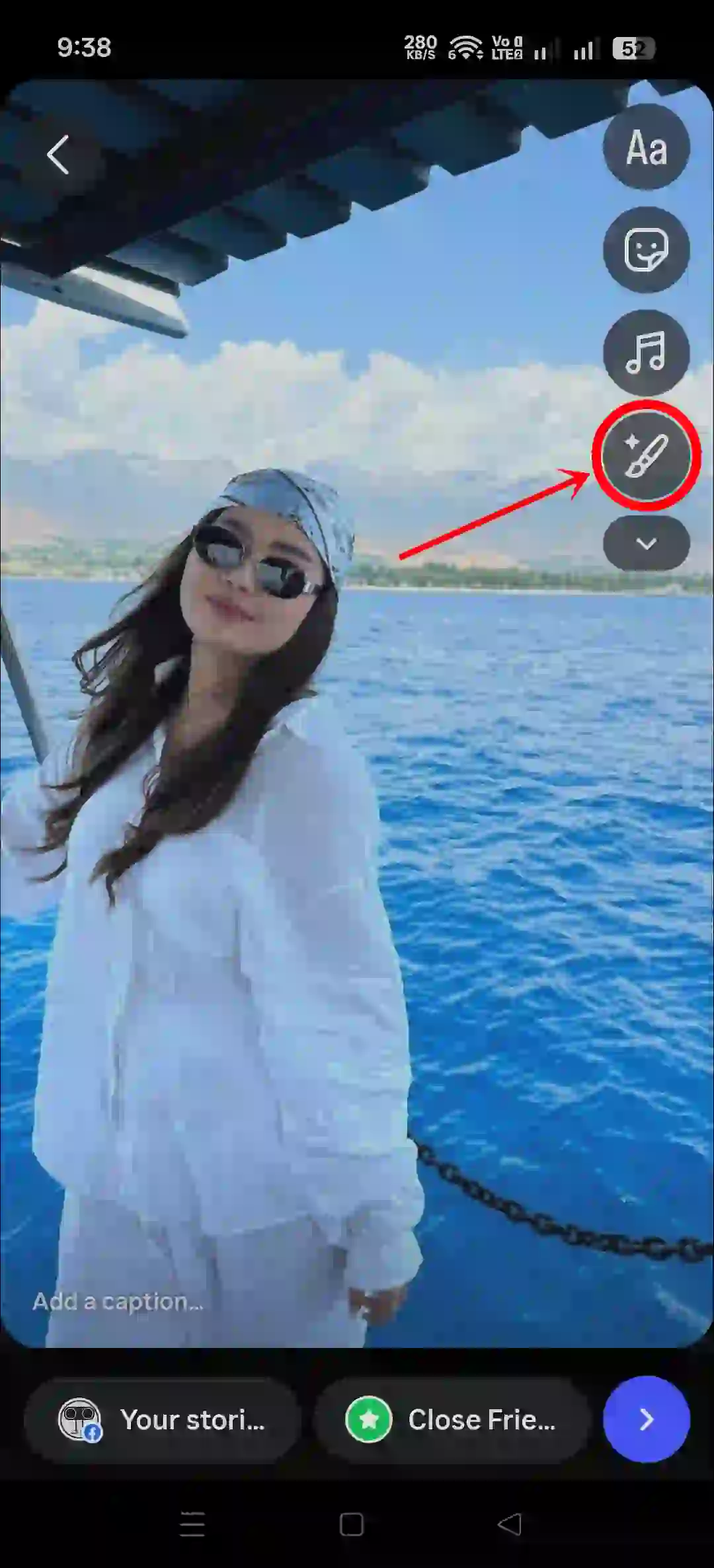
- Tap on Restyle Button at the Right Pane or Top Bar.
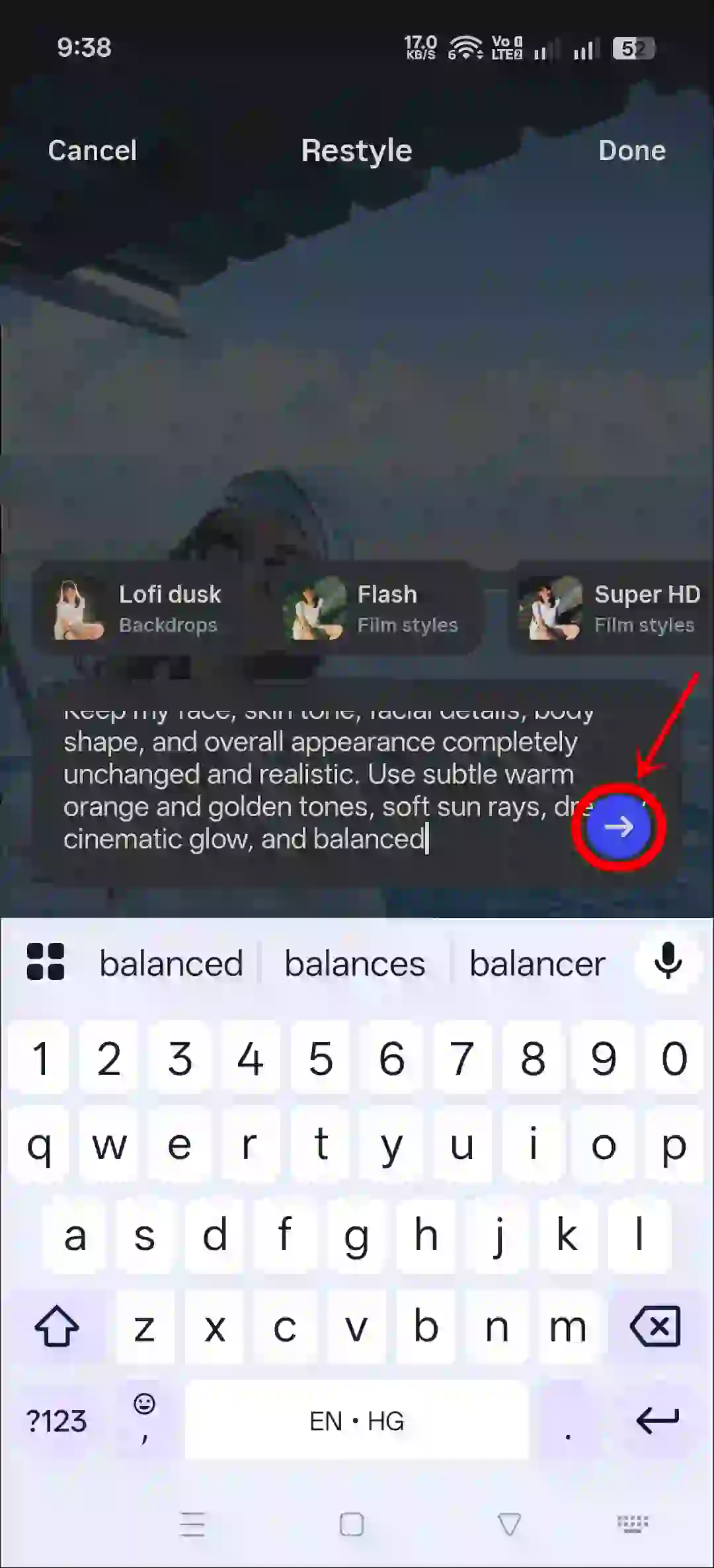
- Copy and Paste the Following Prompt in the Text Box Tap on Arrow.
- Wait for a Moment! Your Sunset Filter Photo is Here.
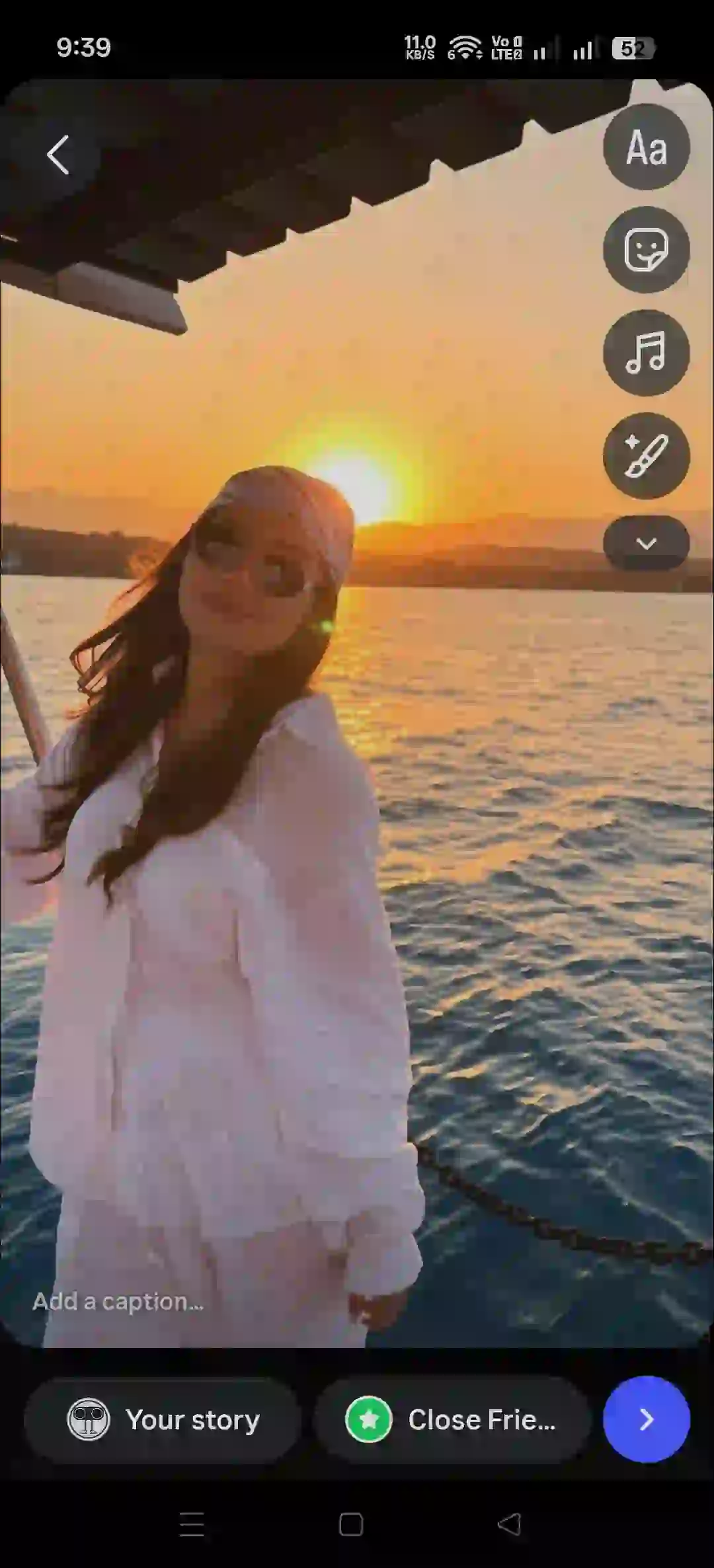
- Now, You Can Share It on Your IG Story.
2. Using ChatGPT
Step 1. Open ChatGPT App or Website.
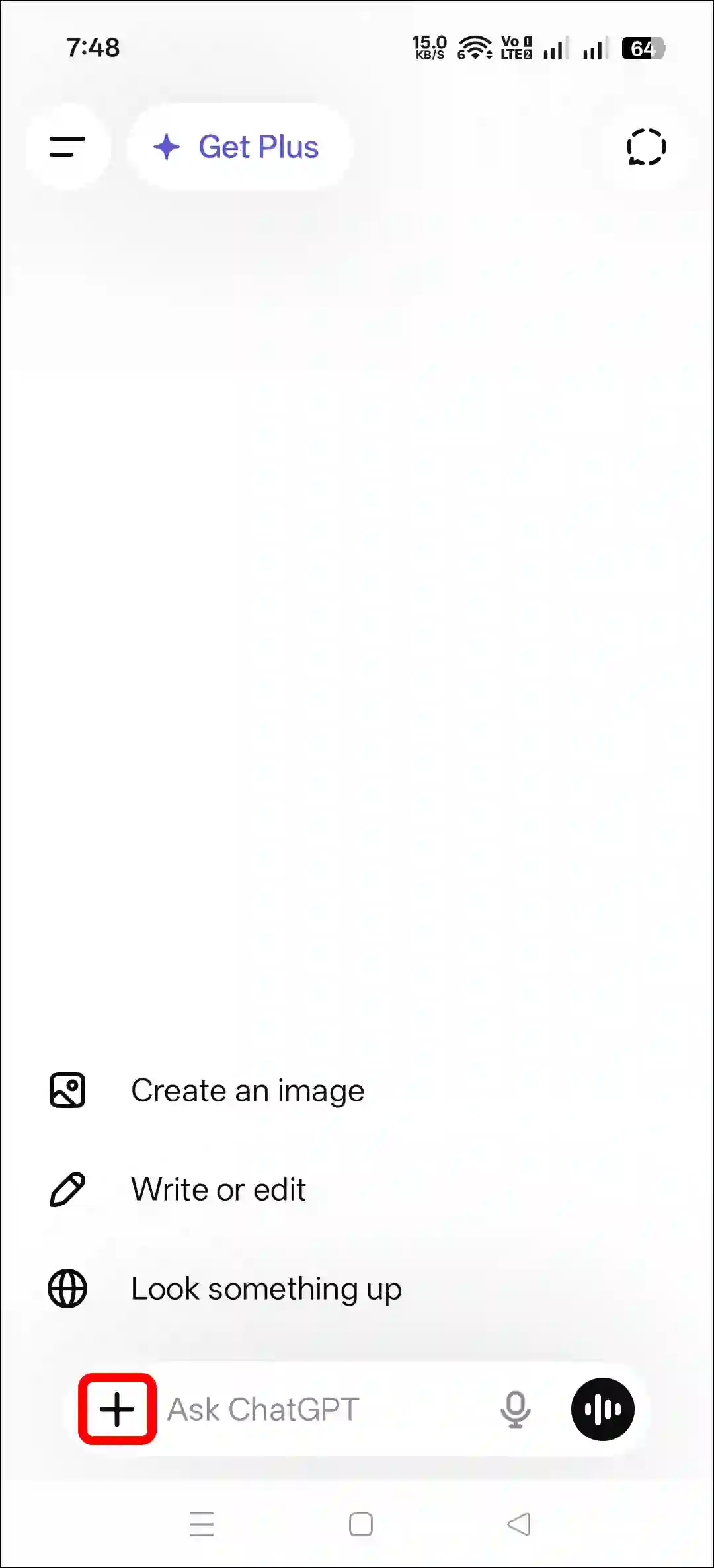
Step 2. Tap on “+” Icon and then Photos.
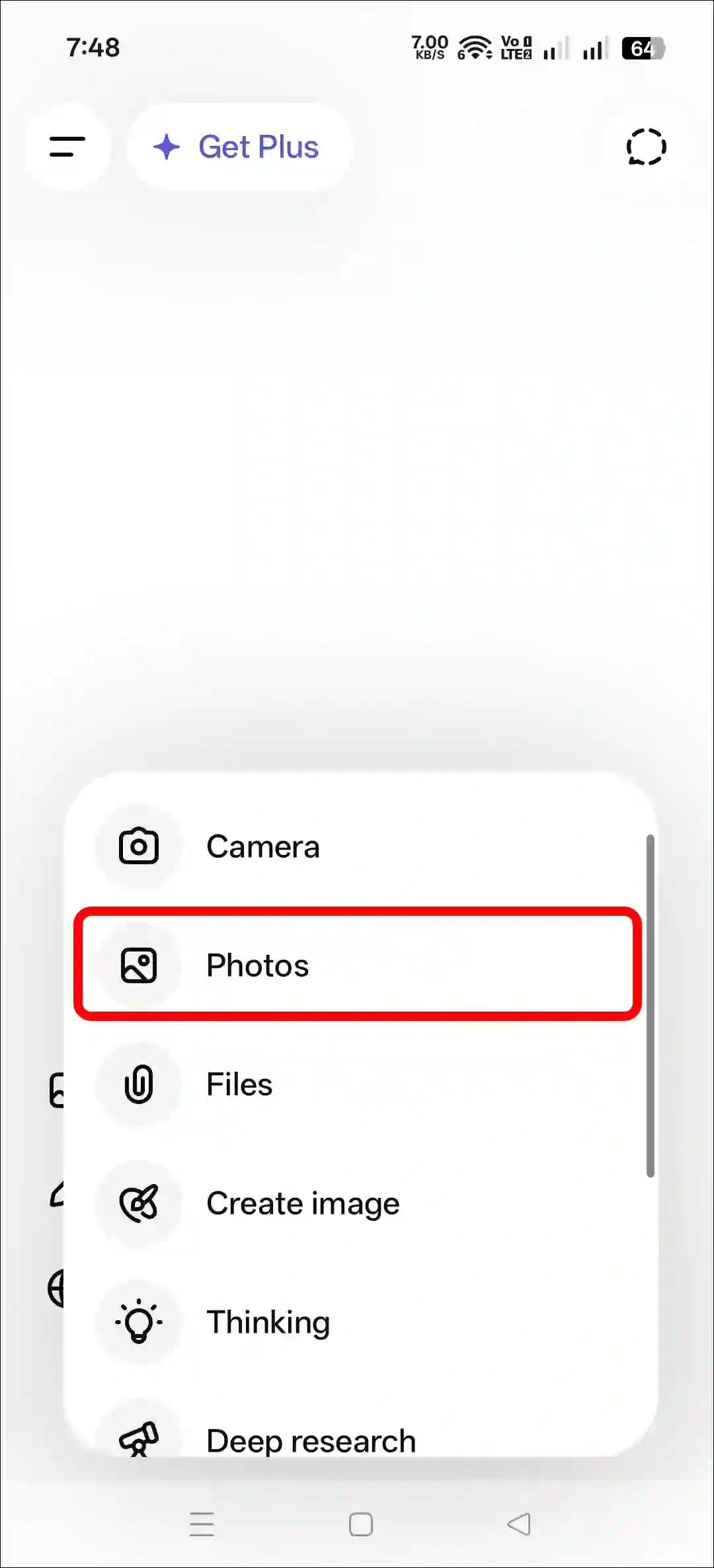
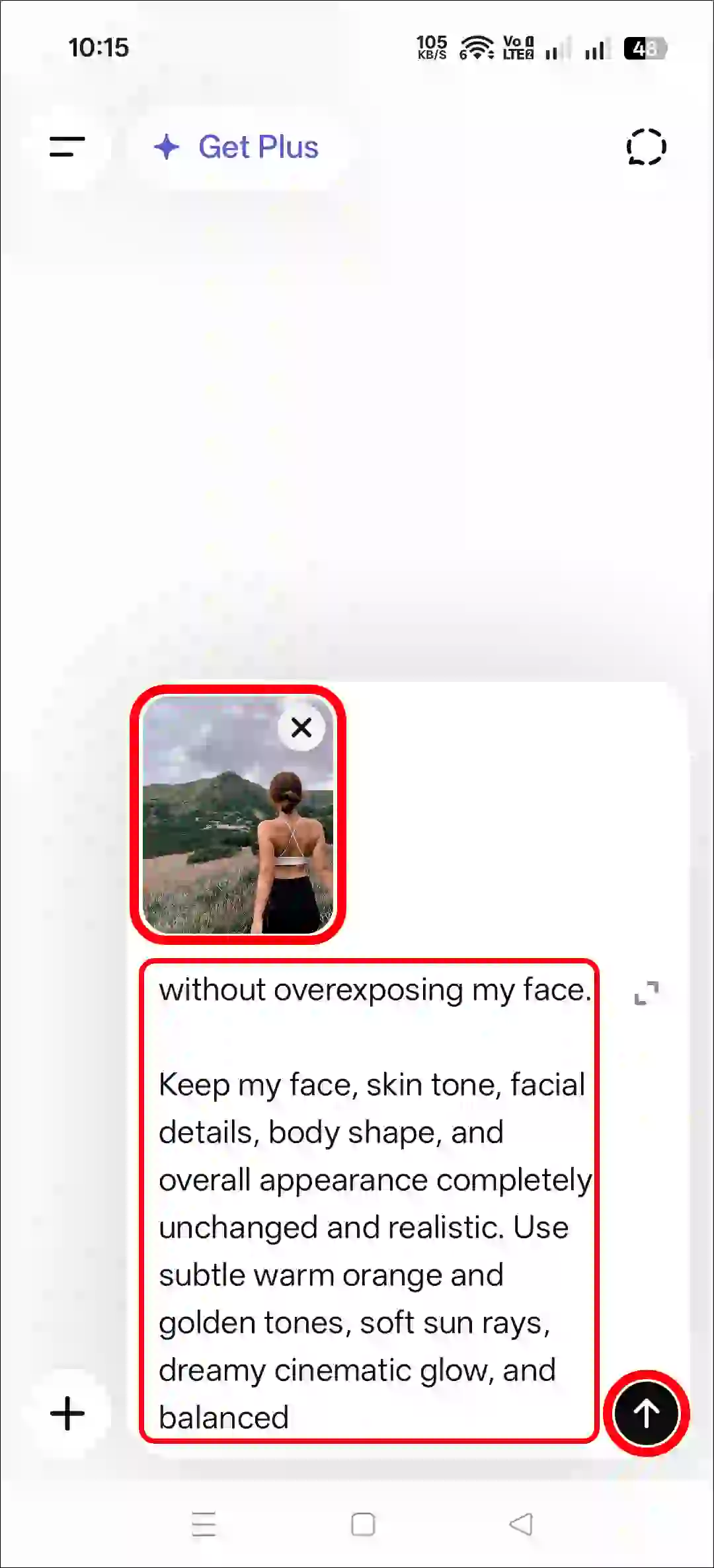
Step 3. Now, Upload a Photo as a Reference.
Step 4. Next, Copy and Paste the Prompt and Tap on Arrow Icon.
Step 5. Now, You Can See Your Image has been Generated.
3. Using Gemini AI
- Open Gemini App or Website.
- Tap on “+” Icon and Select Images (Create and Edit) Option.
- Tap on “+” Icon and Select Photos Option and Upload a Picture.
- Now, Copy and Paste the Following Prompt in the Text Box Tap on Arrow.
- Wait for a While! Your Sunset Effect Photo is Here.
Copy Prompt for Sunset Photo
Add a soft glowing sunset sun behind me with natural golden-hour lighting that enhances the background without overexposing my face.

Keep my face, skin tone, facial details, body shape, and overall appearance completely unchanged and realistic. Use subtle warm orange and golden tones, soft sun rays, dreamy cinematic glow, and balanced
Also read: I Created Instagram Collage Photo Post using This ChatGPT Prompt
FAQs
Q 1. Is this sunset photo effect prompt free?
Answer – Yes! This post’s sunset filter prompt is completely free; you don’t have to pay anything. You simply need to tap or click on a prompt, and it will be instantly copied to your clipboard.
Q 2. Can I use this sunset prompt in Instagram’s Restyle AI?
Answer – Yes! You can paste this prompt directly into Restyle AI; no need for ChatGPT or Gemini. But if you prefer using ChatGPT or Gemini, that works too.


Restyle
I love too sunset effect