Shiv Ji Jalabhishek AI Photo Editing Prompt! Try Girls and Boys in Sawan
The month of Sawan is currently underway, and on social media, both boys and girls are posting photos of Shiv Ji’s Jalabhishek. You can also create such images with the help of AI tools like ChatGPT and Google Gemini. In this article, I have shared the steps and the “Shiv Ji Jalabhishek photo prompt” that will help you generate such pictures.
Mahadev Jal Abhishek AI Photo Trend
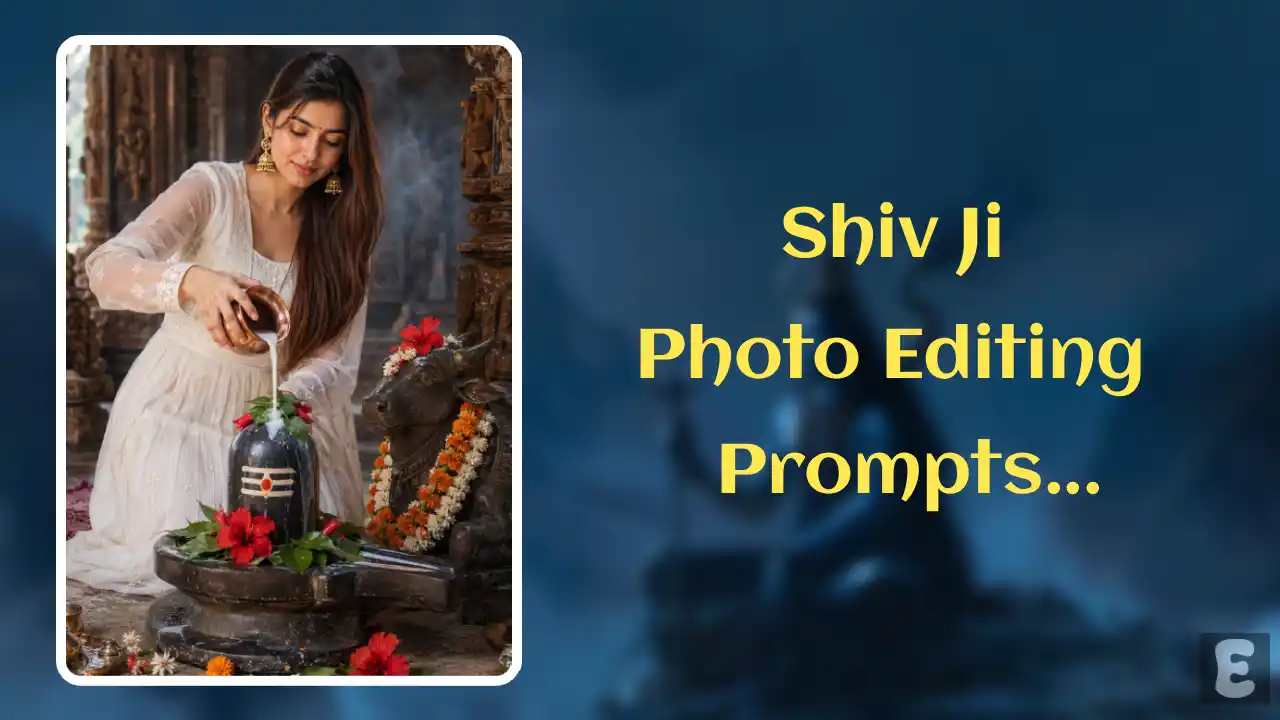
During the month of Sawan, water is offered to Lord Shiva on Mondays to please him. This is a Hindu religious practice performed by adult men and women, as well as by boys and girls. Nowadays, sharing photos of the moment when water is being offered to the Shivling has become a trend on social media.
However, if you are not actually able to go to a temple to perform the Jalabhishek ritual but still want to create such photos, it is now possible. As soon as you paste this secret prompt along with your photo into ChatGPT or Google Gemini, your viral Sawan photo will be ready.
You can share these Shivling Jalabhishek photos not only during Sawan but also on the occasion of Mahashivratri. In this article, I have shared AI photo ideas and prompts for both Sawan and Mahashivratri, which you can use as per your preference.
Girls can try this look with white salwar suits, sarees, or any other traditional attire. Boys can also wear kurtas or dhoti-kurtas, embracing the temple and Jalabhishek concept.
How to Create Mahadev Shiv Ji Jalabhishek AI Photo with ChatGPT and Gemini
Before following the steps below, ensure that your face is clearly visible in the photo you are uploading. All the steps are listed below one by one.
Method 1. Using ChatGPT + AI Prompt
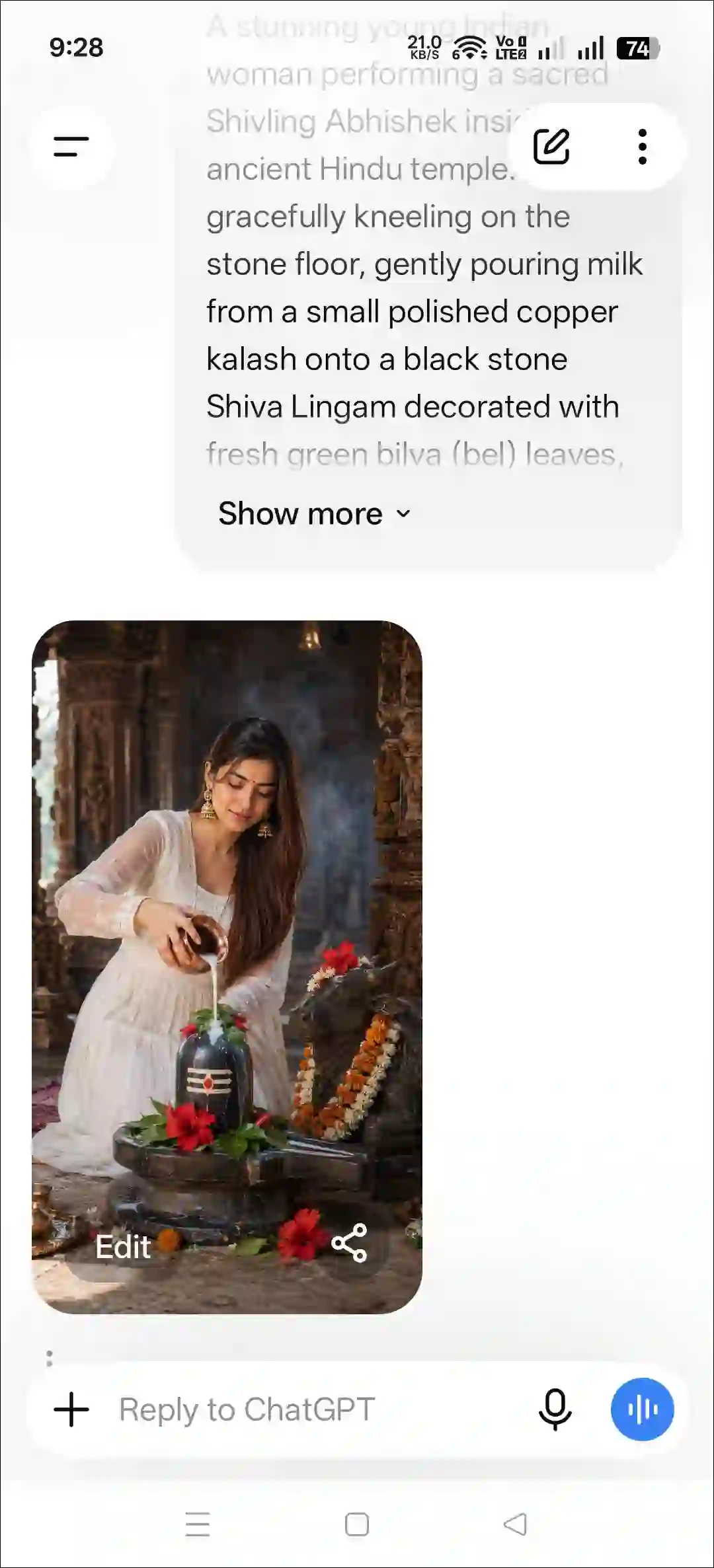
Step 1. Open ChatGPT App or Website (Chatgpt.com).
Step 2. Tap on “+” Icon and then Photos.

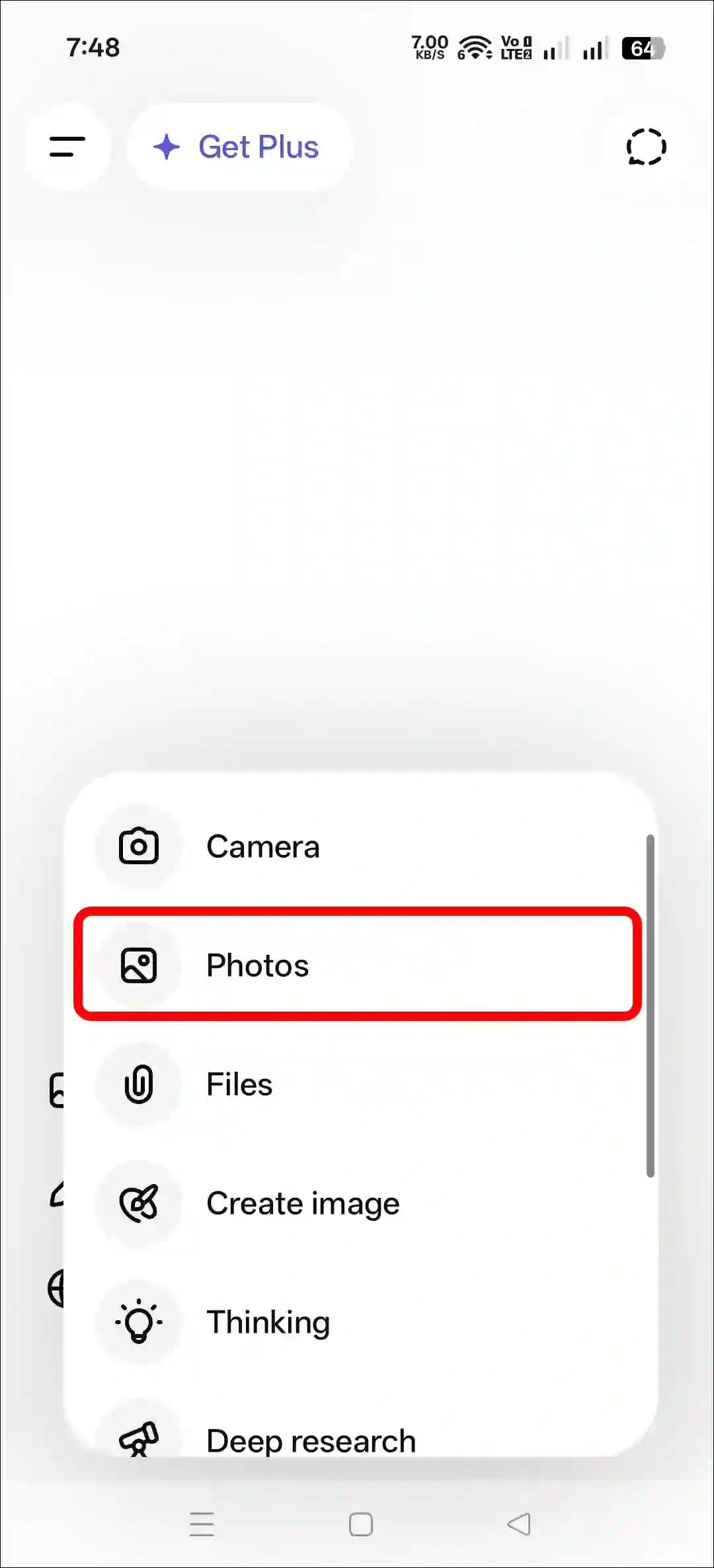
Step 3. Now, Upload a Photo as a Reference.
Step 4. Next, Copy and Paste the Prompt and Tap on Arrow Icon.
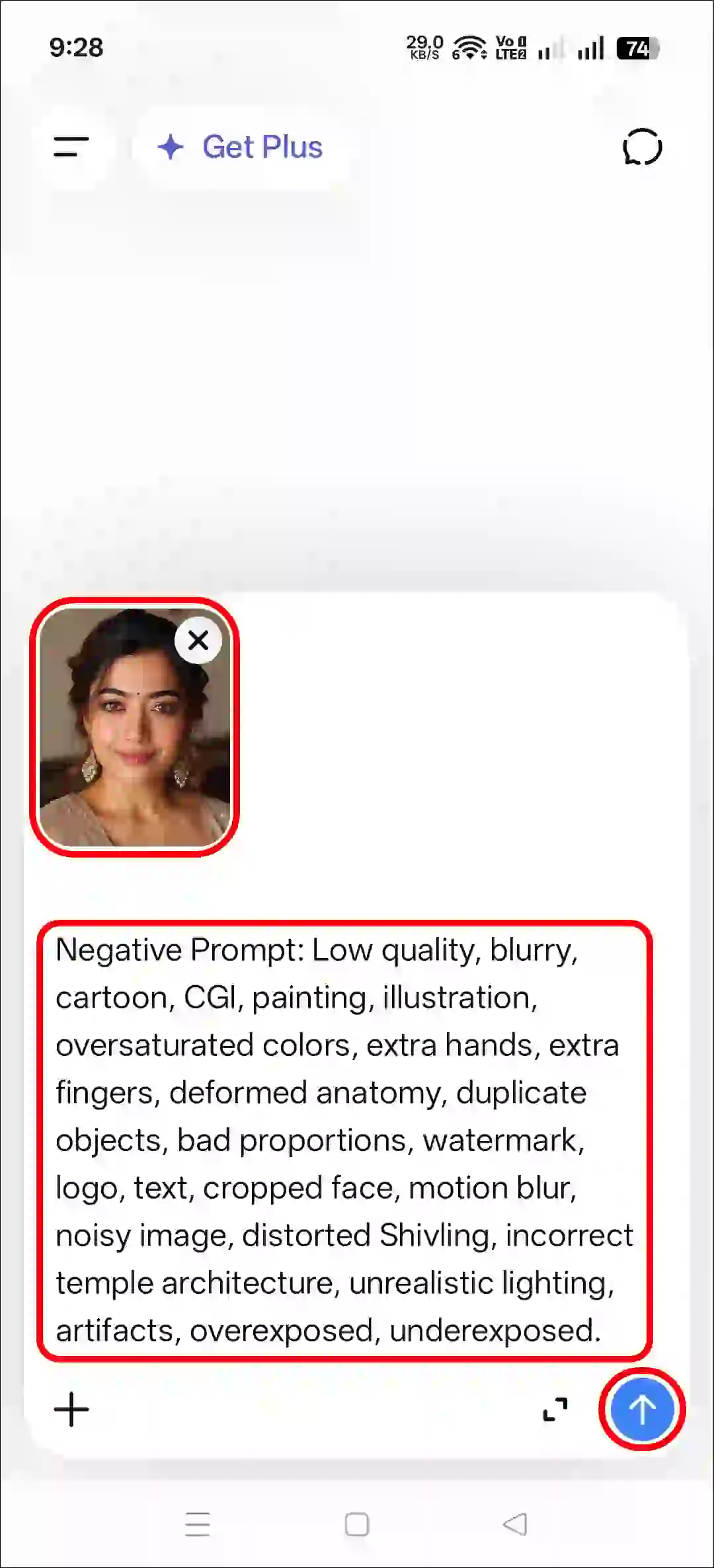
Step 5. Now, Your Photo is Ready to Use.
Method 2. Using Gemini + AI Prompt
- Open Gemini App or Website.
- Tap on “+” Icon and Select Images (Create and Edit) Option.
- Tap on “+” Icon and Select Photos Option and Upload a Picture.
- Now, Copy and Paste the Following Prompt in the Text Box Tap on Arrow.
- Wait for a While! Your Sunset Effect Photo is Here.
That’s all! You’re done…
Also read: Try All Viral AI Photo Editing Prompts for Free
Copy Instagram’s Shiv Ji Jalabhishek AI Photo Prompt
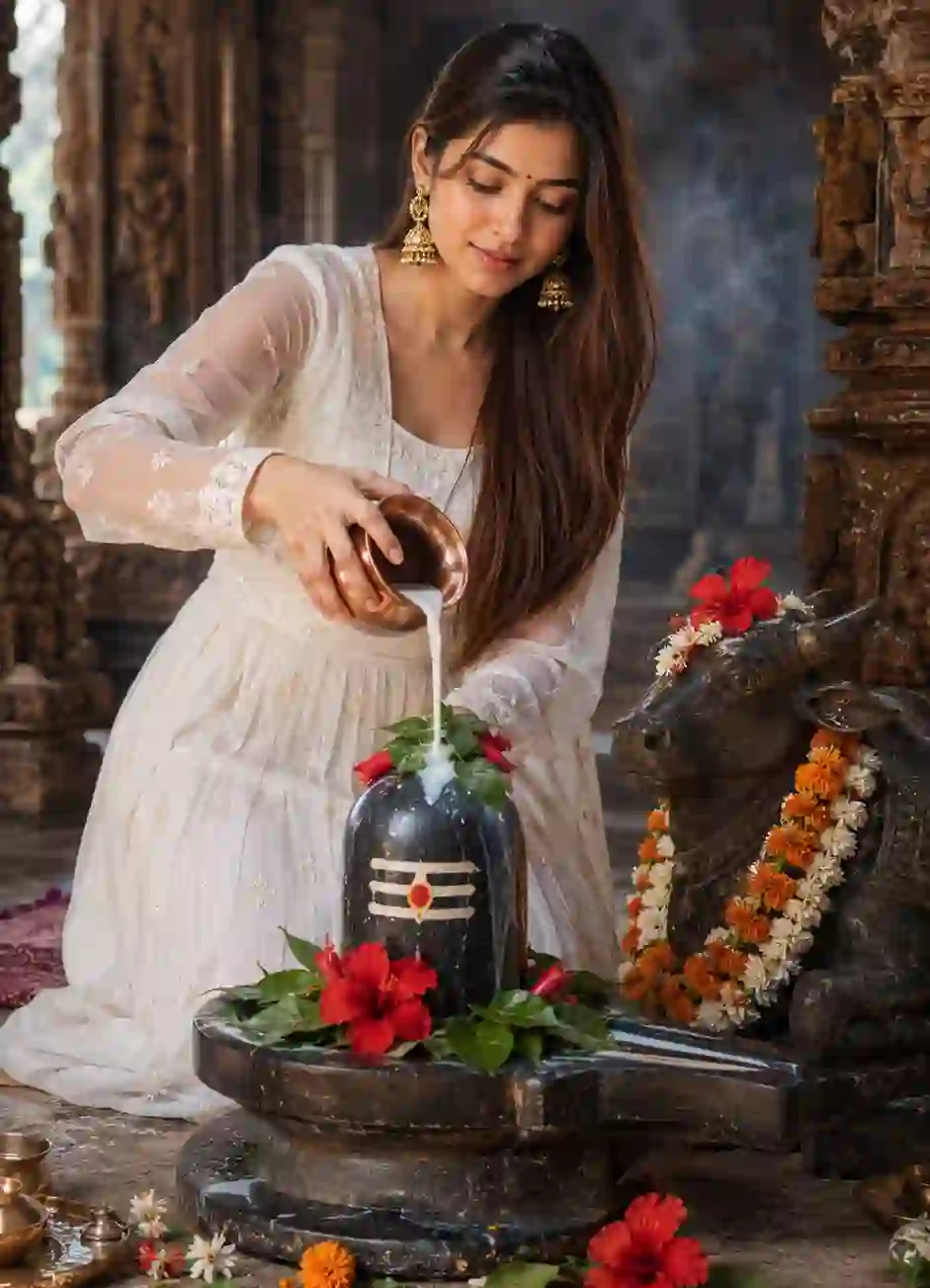
A stunning young Indian woman performing a sacred Shivling Abhishek inside an ancient Hindu temple. She is gracefully kneeling on the stone floor, gently pouring milk from a small polished copper kalash onto a black stone Shiva Lingam decorated with fresh green bilva (bel) leaves, red hibiscus flowers, and subtle sacred markings. A continuous stream of milk flows over the Shivling into the traditional stone yoni base.

The woman is wearing an elegant pure white Anarkali dress with delicate floral embroidery, full-length sheer embroidered sleeves, and a flowing skirt. She has long, straight light brown hair cascading over one shoulder. She wears traditional gold jhumka earrings, a bright red bindi. Her makeup is soft and natural with pink lipstick, and her expression is calm, devotional, and peaceful as she looks downward toward the Shivling.

Beside the Shivling is a beautifully carved stone Nandi idol, decorated with fresh orange marigold garlands, white flower garlands, and a red flower placed on its head. The temple features ancient sandstone pillars, carved architecture, and a softly blurred background, creating a timeless spiritual atmosphere. Incense smoke gently rises in the background, adding a mystical ambiance.

The foreground includes scattered fresh hibiscus flowers, bilva leaves, and traditional puja decorations around the Shivling. The flooring is textured stone with a woven prayer mat partially visible behind the woman. Warm natural sunlight enters from the side, producing soft cinematic lighting, realistic skin tones, gentle shadows, and subtle highlights on the copper vessel and stone sculptures.

Composition: Vertical portrait (9:16), medium full-body shot, eye-level perspective, shallow depth of field, centered subject with the Shivling in the foreground and Nandi statue to the right, highly detailed temple architecture in soft focus.

Style: Ultra-realistic photography, photorealistic, HDR, DSLR quality, 85mm lens, f/1.8, natural color grading, cinematic lighting, ultra-sharp focus, intricate fabric textures, realistic skin details, devotional atmosphere, 8K resolution, masterpiece, highly detailed, premium editorial photography.

Negative Prompt: Low quality, blurry, cartoon, CGI, painting, illustration, oversaturated colors, extra hands, extra fingers, deformed anatomy, duplicate objects, bad proportions, watermark, logo, text, cropped face, motion blur, noisy image, distorted Shivling, incorrect temple architecture, unrealistic lighting, artifacts, overexposed, underexposed.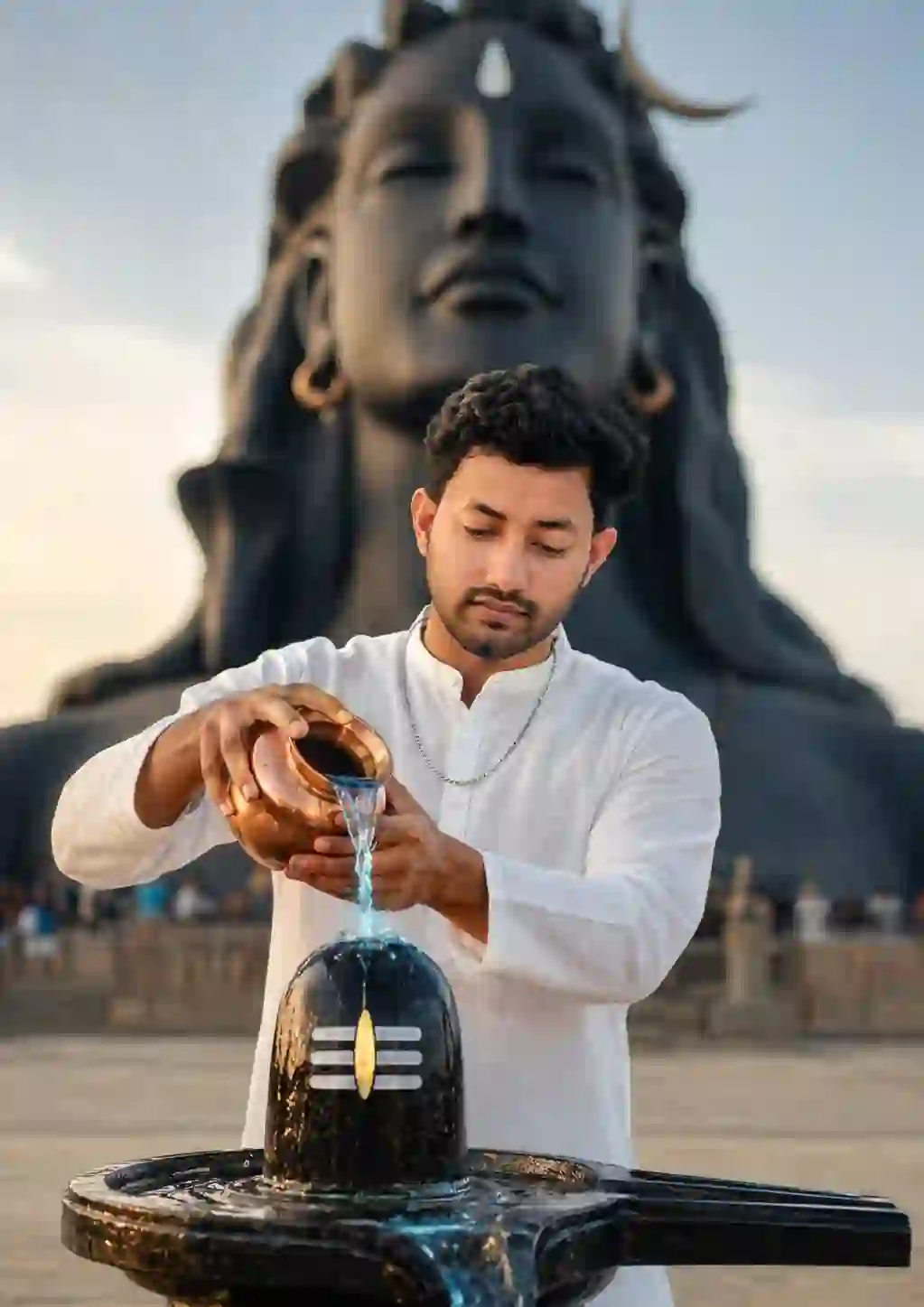
A highly realistic cinematic portrait of a young Indian man performing a sacred Hindu ritual (Abhishekam) on a polished black Shiva Lingam. He is wearing a clean white long-sleeve kurta with a Mandarin collar, a thin silver chain around his neck, and has neatly styled black wavy hair with a light mustache. His expression is calm, focused, and devotional as he gently pours water from a traditional copper pot (kalash) onto the Shiva Lingam using both hands. The water stream appears crystal clear with a subtle glowing bluish tint. The Shiva Lingam is glossy black with the sacred Tripundra (three horizontal white stripes) and a golden vertical tilak in the center. It is mounted on a polished black yoni base with realistic reflections and flowing water.

In the background stands a massive black Adiyogi Shiva statue, softly blurred due to shallow depth of field, creating a majestic spiritual atmosphere. The setting is an open temple courtyard with smooth stone flooring and faintly visible visitors in the distance. Warm golden-hour sunlight illuminates the subject from the front-right, producing soft shadows and natural skin tones. The composition is vertically centered, with the young man occupying the foreground and the Adiyogi statue dominating the background. Ultra-detailed textures, realistic skin, authentic copper reflections, glossy stone surfaces, cinematic color grading, HDR, 8K, DSLR photography, 85mm lens, f/1.8, shallow depth of field, bokeh, sharp focus on the subject and Shiva Lingam, photorealistic, spiritual, peaceful, premium quality.

Negative Prompt:

blurry, low resolution, cartoon, CGI, painting, anime, illustration, overexposed, underexposed, watermark, logo, text, extra hands, extra fingers, deformed face, duplicate objects, distorted anatomy, cropped head, noisy image, unrealistic colors, artifacts, motion blur, low quality, oversaturated, bad lighting, incorrect proportions, floating objects, messy background.
FAQs
Q 1. Can a Girl Create This Shiv Ji Jalabhishek Photo?
Answer – Yes, absolutely! A girl can also use this prompt along with ChatGPT or Gemini to create a Shiv ji jalabhishek AI photo. This prompt works for both boys and girls. All you have to do is upload a reference image, paste the prompt, and run it; your photo will be ready.
Q 2. If I Use This Prompt, Will It Change My Face After Generating the Photo?
Answer – No! It doesn’t change your face or body shape at all.
Note: This post was updated on 2 August, 2026.