
Make Your Photo with Motu Patlu Cartoon Using ChatGPT Prompt
Motu Patlu is a popular animated cartoon series that both kids and adults love to watch. Imagine standing in a photo with the Motu Patlu characters, and it looks completely realistic. Yes! Now you can do this using the trending Motu Patlu cartoon prompt on ChatGPT or Gemini.
Trending Motu Patlu Cartoon Photo Prompt
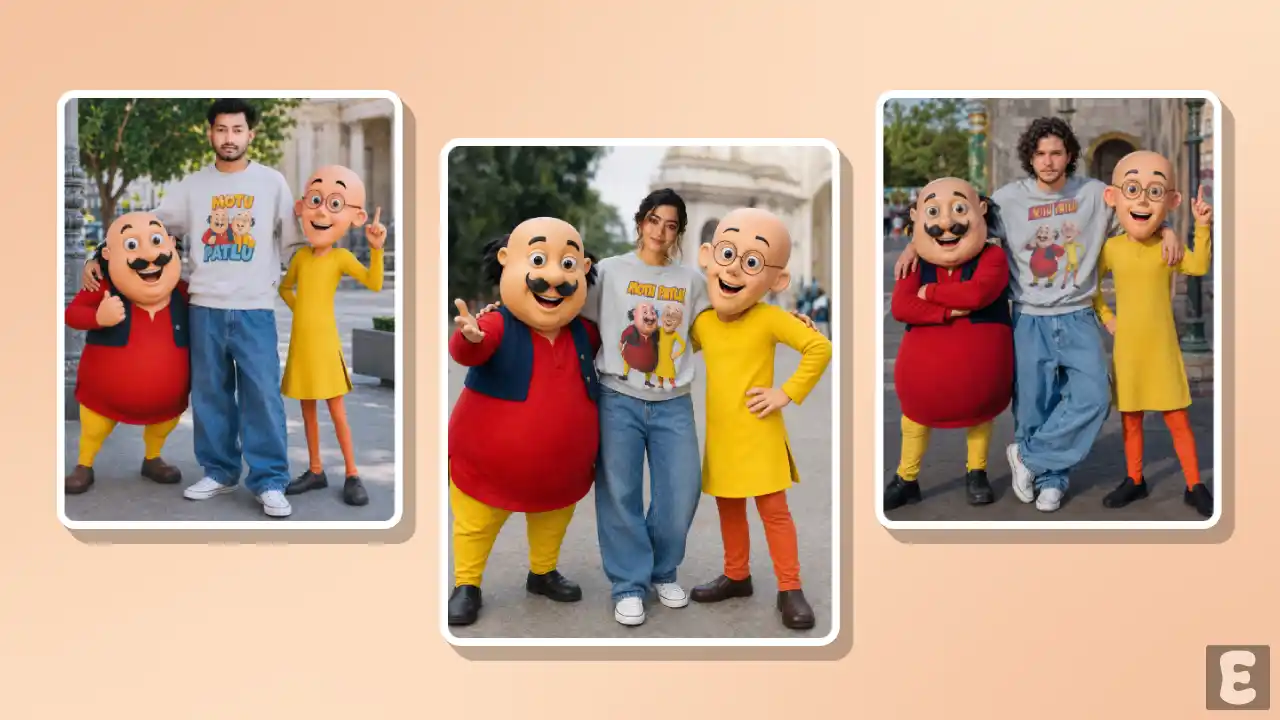
Currently, ‘Motu Patlu’ photos are trending on Instagram; people are standing next to these two characters and taking pictures with them. It is being created using AI and prompts, and the photo looks 100% realistic, like a professional photographer shot it.
You can create such photos using any generative AI tool, such as ChatGPT, Gemini, Adobe Firefly, MidJourney, Leonardo AI, etc. For this, you need a precise prompt that will complete the task in just a few seconds.
In this article, I have shared a ready-to-use AI secret prompt that allows you to create a viral ‘Motu Patlu’ style photo featuring your own face. You can copy it to your device’s clipboard with just a single click on this prompt.
How to Create Trending Photo With Motu Patlu Cartoon Characters
If you also want to create Instagram’s viral Motu Patlu photo, I’ve shared two methods below using ChatGPT and Gemini. You can follow either one to make a picture that looks completely real.
Method 1. Using ChatGPT + AI Prompt
Step 1. Open ChatGPT App or Website (Chatgpt.com).
Step 2. Tap on “+” Icon at the Bottom Bar.

Step 3. Now, Tap on Photos and Upload a Photo as a Reference.
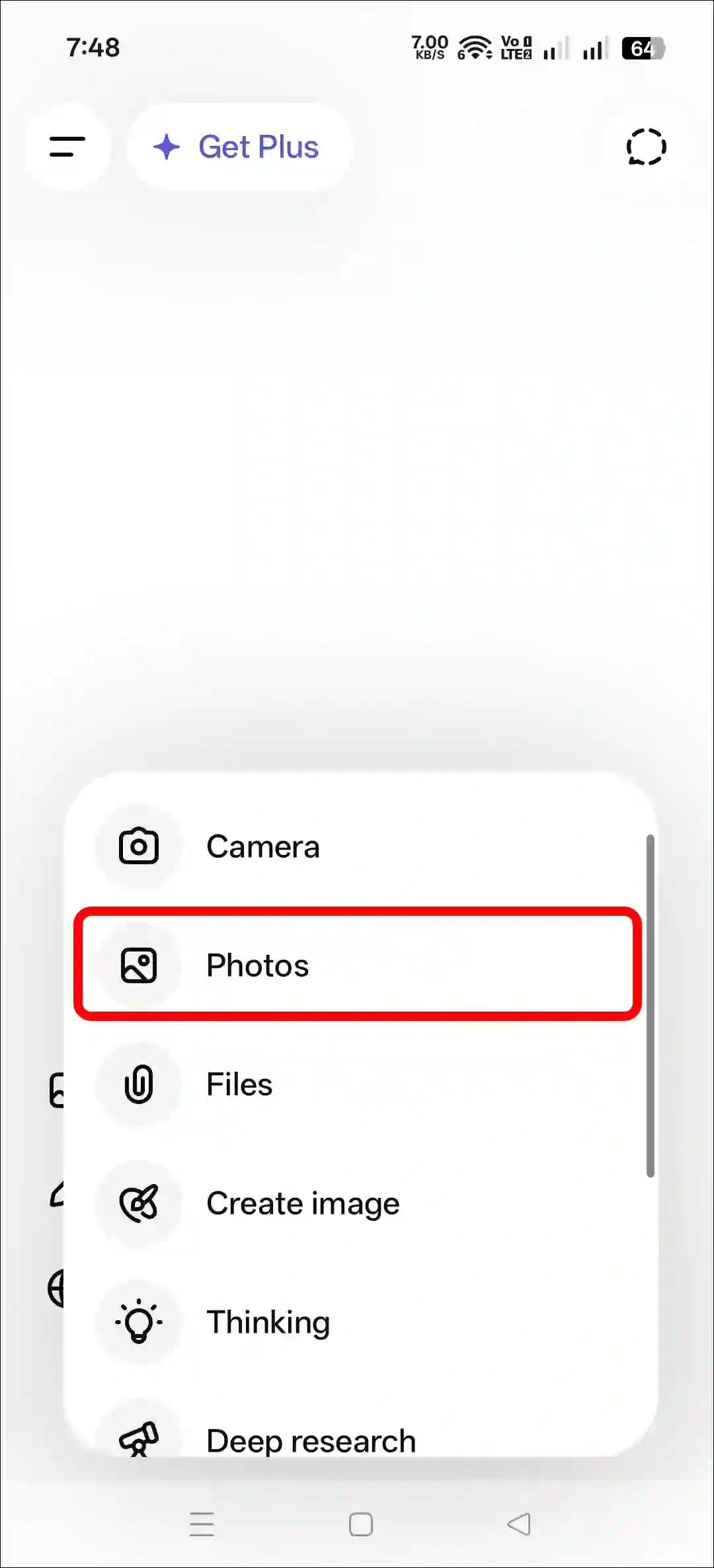
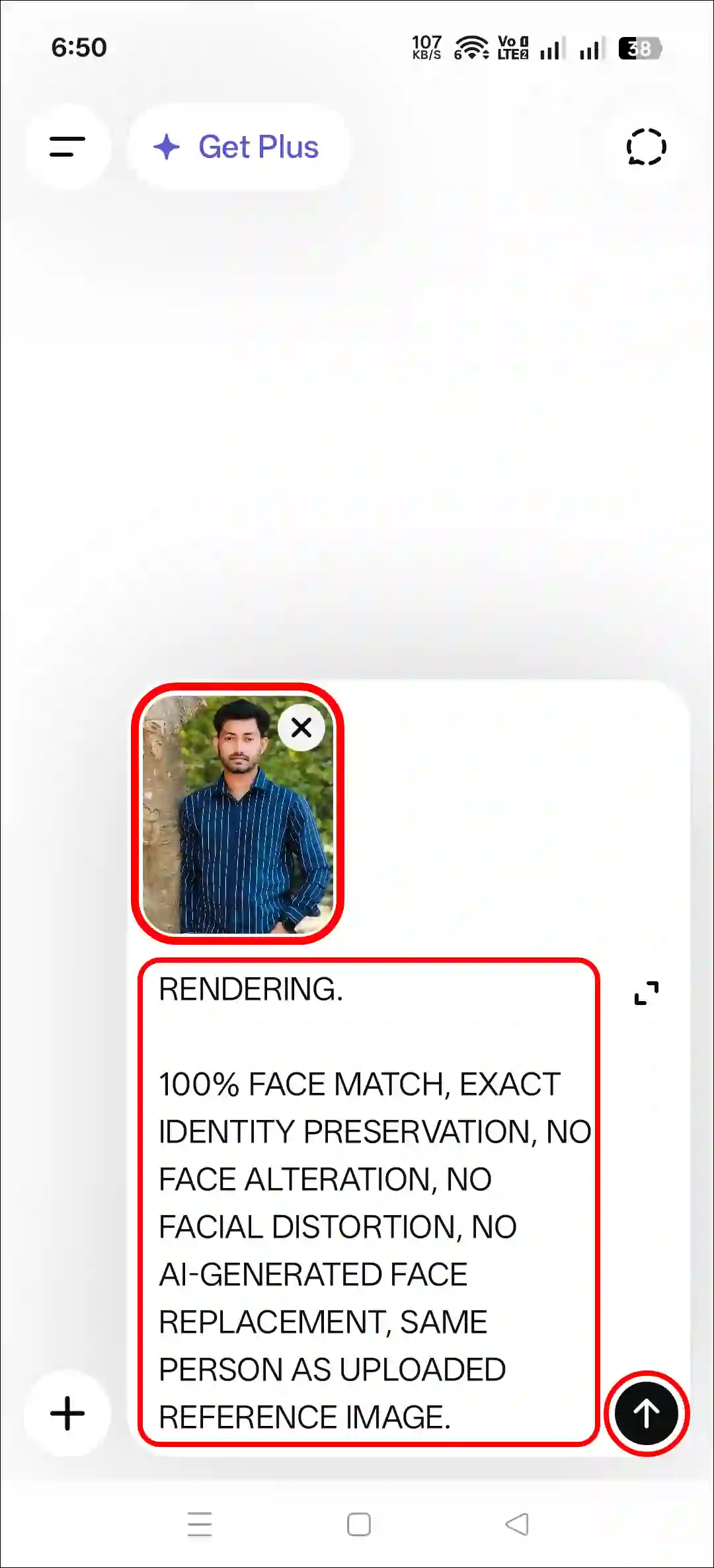
Step 4. Next, Copy and Paste the Prompt and Tap on Arrow Icon.
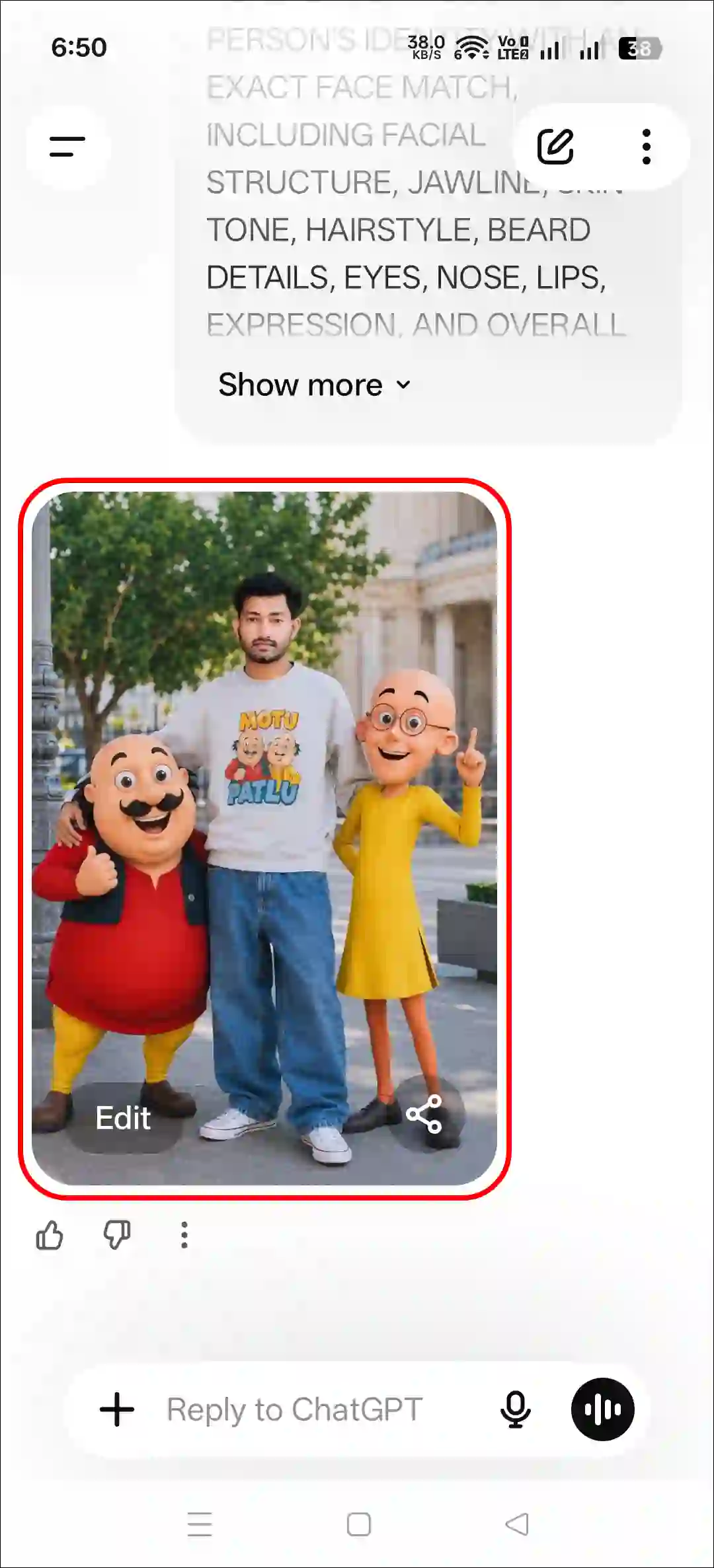
Step 5. Now, Your Photo is Ready to Use.
Method 2. Using Gemini + AI Prompt
- Open Gemini App or Website.
- Tap on “+” Icon and Select Images (Create and Edit) Option.
- Tap on “+” Icon and Select Photos Option and Upload a Picture.
- Now, Copy and Paste the Following Prompt in the Text Box Tap on Arrow.
- Wait for a While! Your Photo is Here.
That’s it! Your Motu Patlu image is now ready. You can save it to your gallery and share it on Instagram as well.
Copy-Paste Motu Patlu Cartoon Photo Editing Prompt
USE THE UPLOADED PHOTO AS THE ONLY FACE REFERENCE. PRESERVE THE PERSON'S IDENTITY WITH AN EXACT FACE MATCH, INCLUDING FACIAL STRUCTURE, JAWLINE, SKIN TONE, HAIRSTYLE, BEARD DETAILS, EYES, NOSE, LIPS, EXPRESSION, AND OVERALL LIKENESS. MAINTAIN PERFECT IDENTITY CONSISTENCY FROM THE REFERENCE IMAGE. DO NOT ALTER, RECREATE, STYLIZE, OR REPLACE THE FACE IN ANY WAY.

CREATE AN ULTRA-REALISTIC FULL-BODY OUTDOOR PORTRAIT OF THE SAME PERSON STANDING CONFIDENTLY IN A RELAXED, STYLISH POSE. HE IS WEARING A COZY LIGHT GREY SWEATSHIRT FEATURING A COLORFUL MOTU PATLU CARTOON PRINT, OVERSIZED BAGGY BLUE JEANS, AND CLEAN WHITE CONVERSE SNEAKERS. HIS EXPRESSION IS CHEERFUL, FRIENDLY, AND NATURAL.

STANDING BESIDE HIM ARE LIFE-SIZE 3D CARTOON CHARACTERS MOTU AND PATLU, DESIGNED EXACTLY LIKE THEIR ANIMATED APPEARANCE, WITH REALISTIC LIGHTING AND DETAILED TEXTURES WHILE MAINTAINING THEIR RECOGNIZABLE CARTOON STYLE. MOTU STANDS ON ONE SIDE WITH A HAPPY SMILE AND PLAYFUL POSE, WHILE PATLU STANDS ON THE OTHER SIDE LOOKING EXCITED AND FRIENDLY 12.5K THE CHARACTERS INTERACT NATURALLY WITH THE PERSON AS IF THEY ARE CLOSE FRIENDS POSING TOGETHER FOR A PHOTOGRAPH.

ULTRA-REALISTIC PHOTOGRAPHY, FULL-BODY COMPOSITION,

NATURAL DAYLIGHT, CINEMATIC DEPTH OF FIELD, HIGHLY DETAILED SKIN TEXTURE, REALISTIC CLOTHING FABRIC, PROFESSIONAL DSLR QUALITY, SHARP FOCUS ON THE SUBJECT, SOFT BACKGROUND BLUR, VIBRANT COLORS, REALISTIC SHADOWS, OUTDOOR PARK OR CITY LANDMARK ENVIRONMENT, PREMIUM PORTRAIT PHOTOGRAPHY, PHOTOREALISTIC RENDERING.

100% FACE MATCH, EXACT IDENTITY PRESERVATION, NO FACE ALTERATION, NO FACIAL DISTORTION, NO AI-GENERATED FACE REPLACEMENT, SAME PERSON AS UPLOADED REFERENCE IMAGE.
Try More Prompts:




Motu Patlu
Motu Patlu ke sath Meri Photo Click Karen