
15 August (Independence Day) Prompts for AI Photo Editing (Boys+Girls)
On the occasion of August 15th (Independence Day), people share social media stories featuring videos or photos. But now, you don’t need to share photos of others. With the help of AI, you can create your own unique Independence Day photos.
Photos themed around August 15th are going viral on the internet, and you can create them using secret prompts with the help of ChatGPT or Google Gemini. The good thing is that both boys and girls can use these prompts. All the prompts and necessary steps are mentioned one by one in this article below.
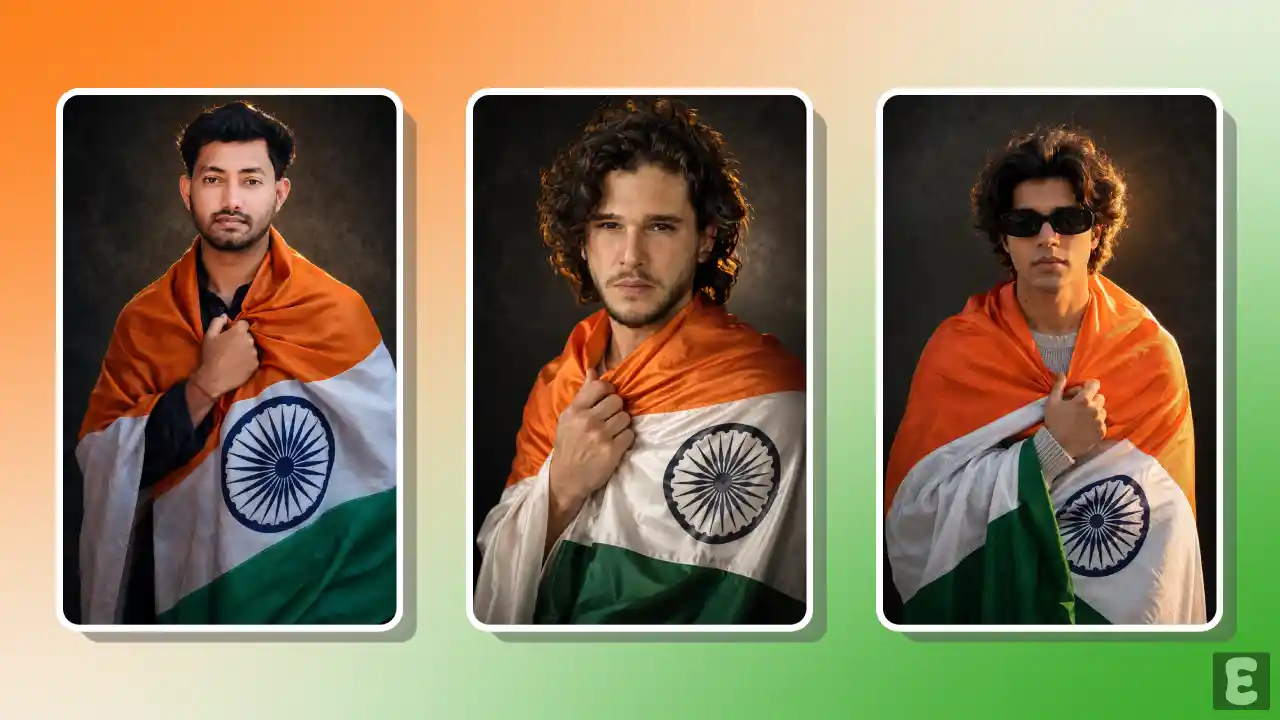
What are Viral Independence Day AI Photo Editing Prompts?
These prompts are specific types of text instructions used with AI generators to create and edit August 15 photos in different styles. As AI understands our language, prompts are designed to explain things to it in a better way.
If you also want to create unique patriotic pictures this Independence Day, then this post is for you. In this post, I have explained how you can edit your Independence Day photos using AI and secret prompts.
The good thing is that these prompts work not only on ChatGPT but also on Google Gemini, generating a fantastic photo based on the prompt. To copy any prompt, simply click on it—it will be copied immediately, and you can paste it anywhere you like.
How to Create Independence Day AI Images with ChatGPT and Gemini
Before following the steps below, ensure that your face is clearly visible in the photo you are uploading. All the steps are listed below one by one.
Method 1. Using ChatGPT + AI Prompt
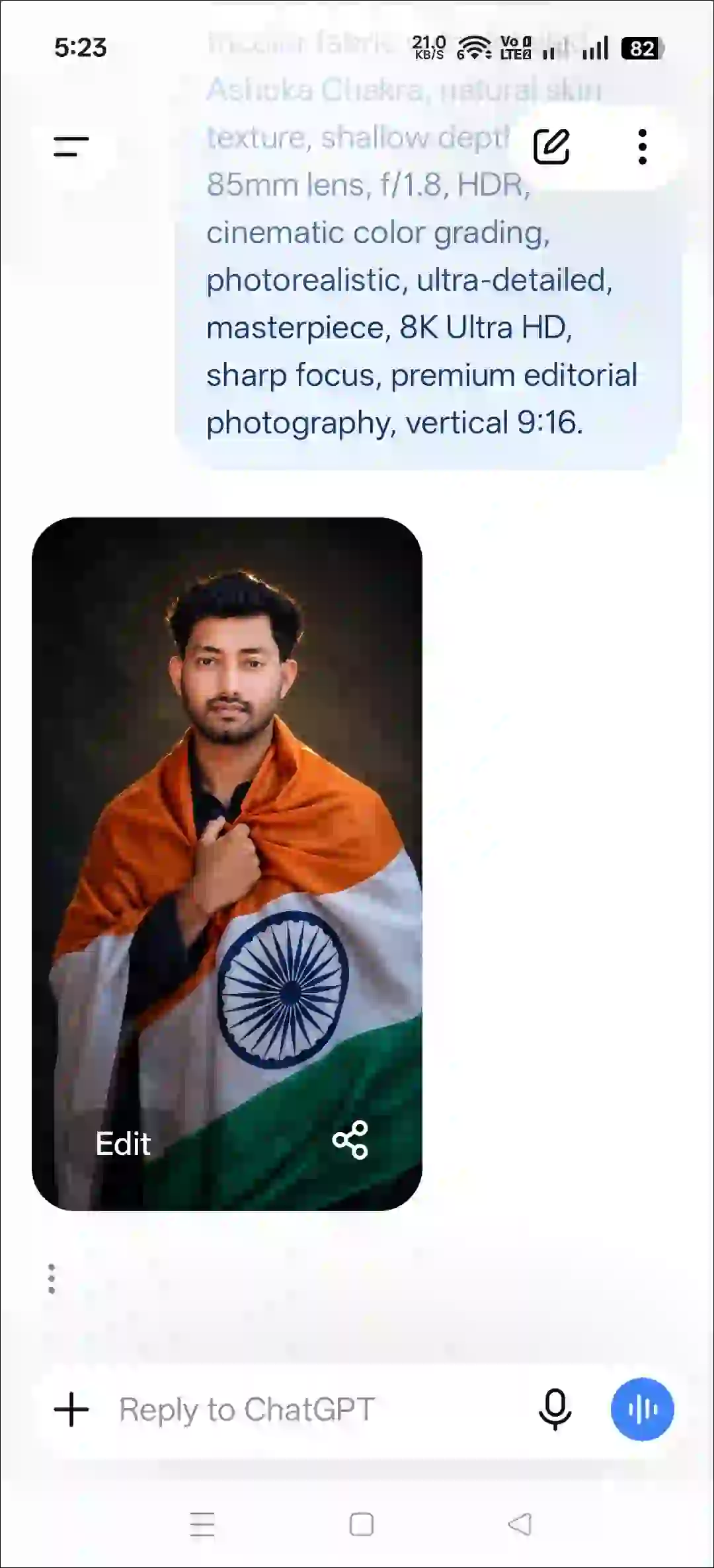
Step 1. Open ChatGPT App or Website (Chatgpt.com).
Step 2. Tap on “+” Icon and then Photos.
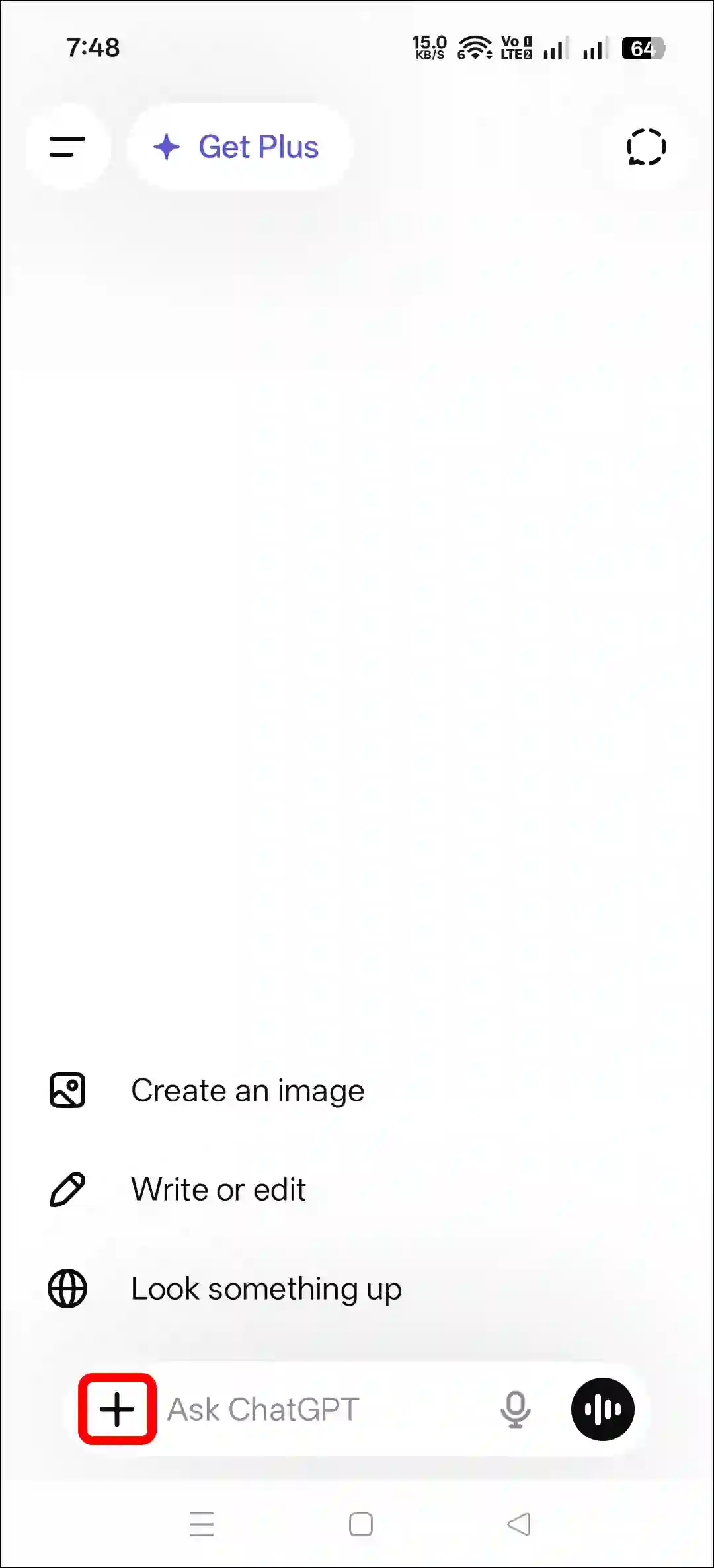
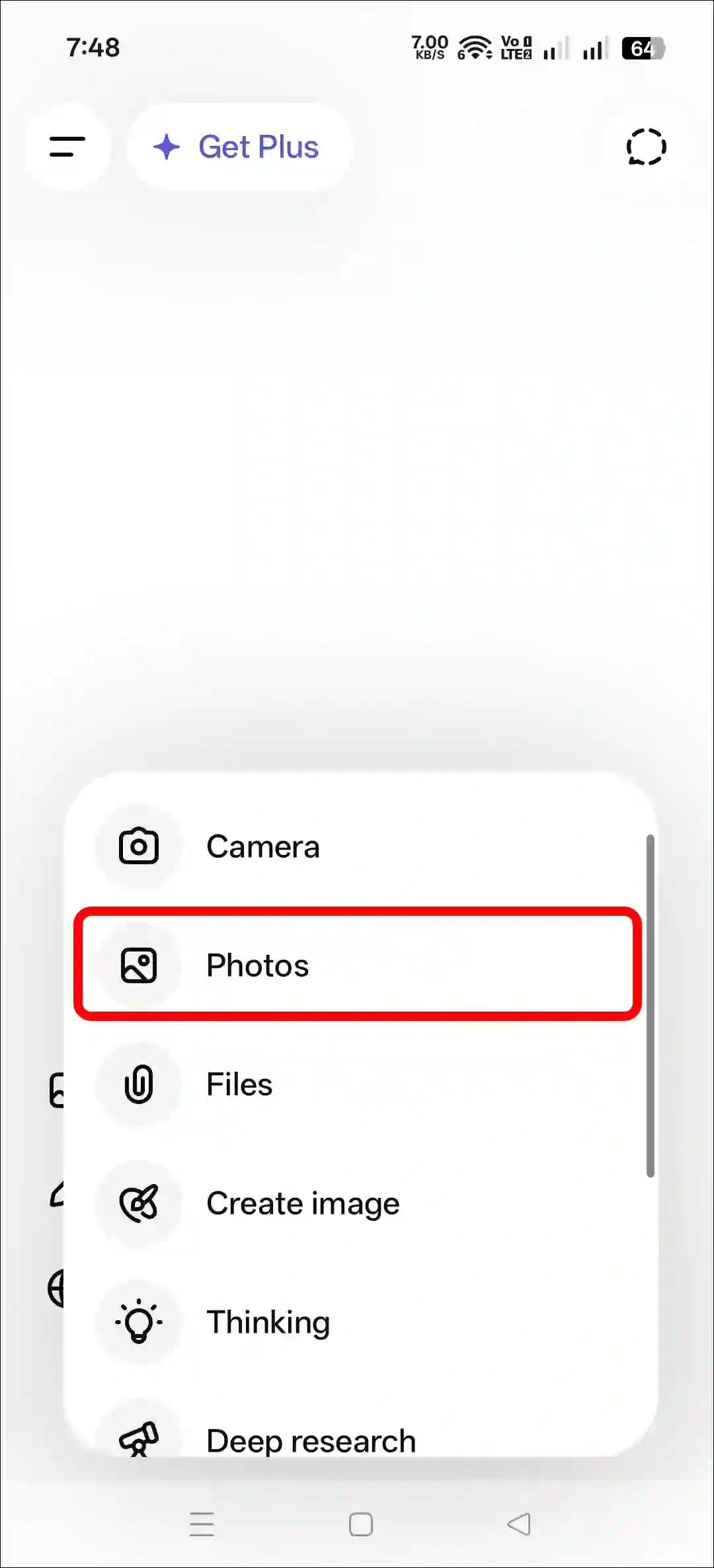
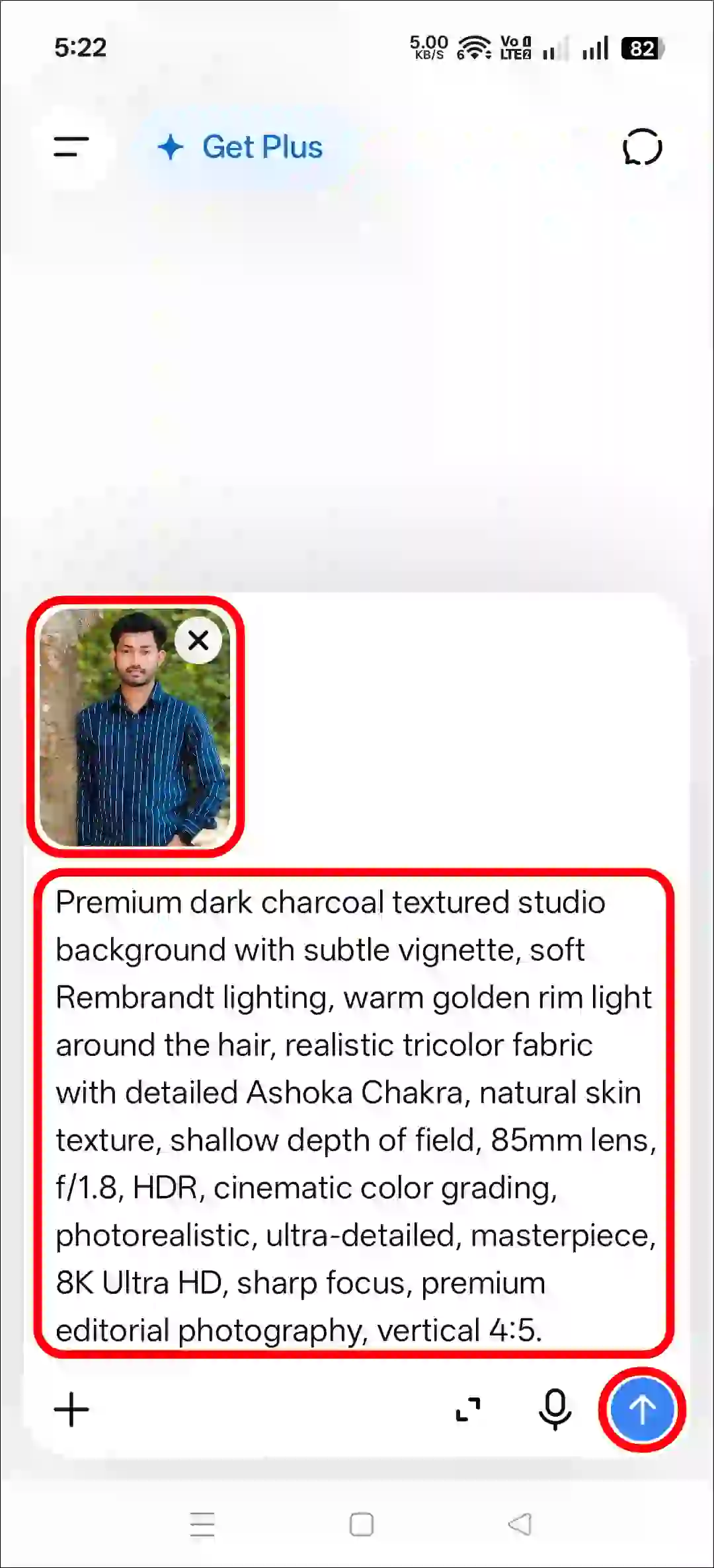
Step 3. Now, Upload a Photo as a Reference.
Step 4. Next, Copy and Paste the Prompt and Tap on Arrow Icon.
Step 5. Now, Your Photo is Ready to Use.
Method 2. Using Gemini + AI Prompt
- Open Gemini App or Website.
- Tap on “+” Icon and Select Images (Create and Edit) Option.
- Tap on “+” Icon and Select Photos Option and Upload a Picture.
- Now, Copy and Paste the Following Prompt in the Text Box Tap on Arrow.
- Wait for a While! Your Sunset Effect Photo is Here.
That’s all! You’re done…
Also read: Try All Viral AI Photo Editing Prompts for Free
Copy Instagram’s Trending 15 August AI Photo Prompts
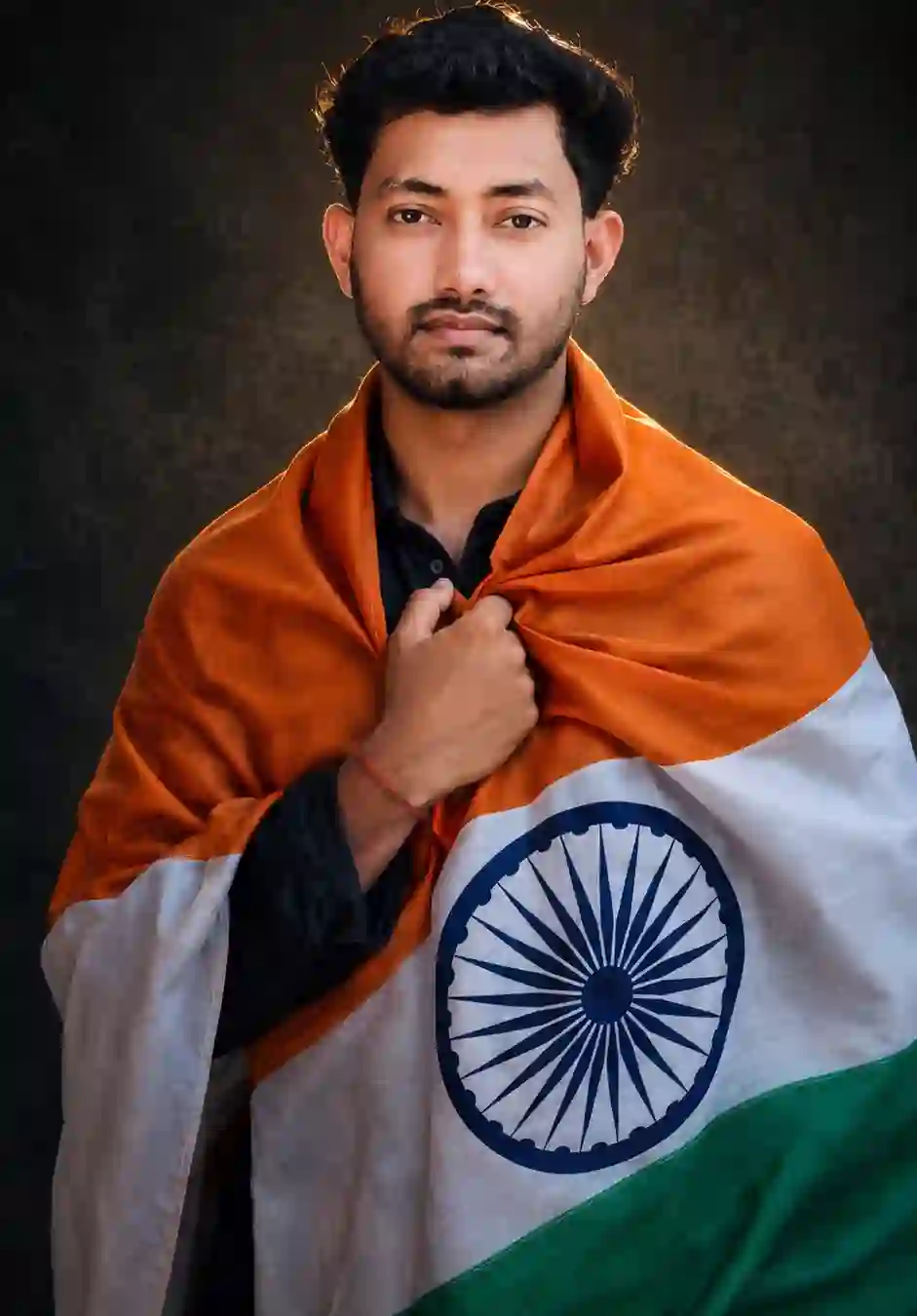
Ultra-realistic cinematic studio portrait of a stylish person wrapped gracefully in the Indian National Flag, holding the flag close to the chest with one hand, looking directly into the camera with a calm, confident and patriotic expression. Preserve the exact face, identity, hairstyle, skin tone, facial features and natural look from the uploaded reference photo. Premium dark charcoal textured studio background with subtle vignette, soft Rembrandt lighting, warm golden rim light around the hair, realistic tricolor fabric with detailed Ashoka Chakra, natural skin texture, shallow depth of field, 85mm lens, f/1.8, HDR, cinematic color grading, photorealistic, ultra-detailed, masterpiece, 8K Ultra HD, sharp focus, premium editorial photography, vertical 4:5.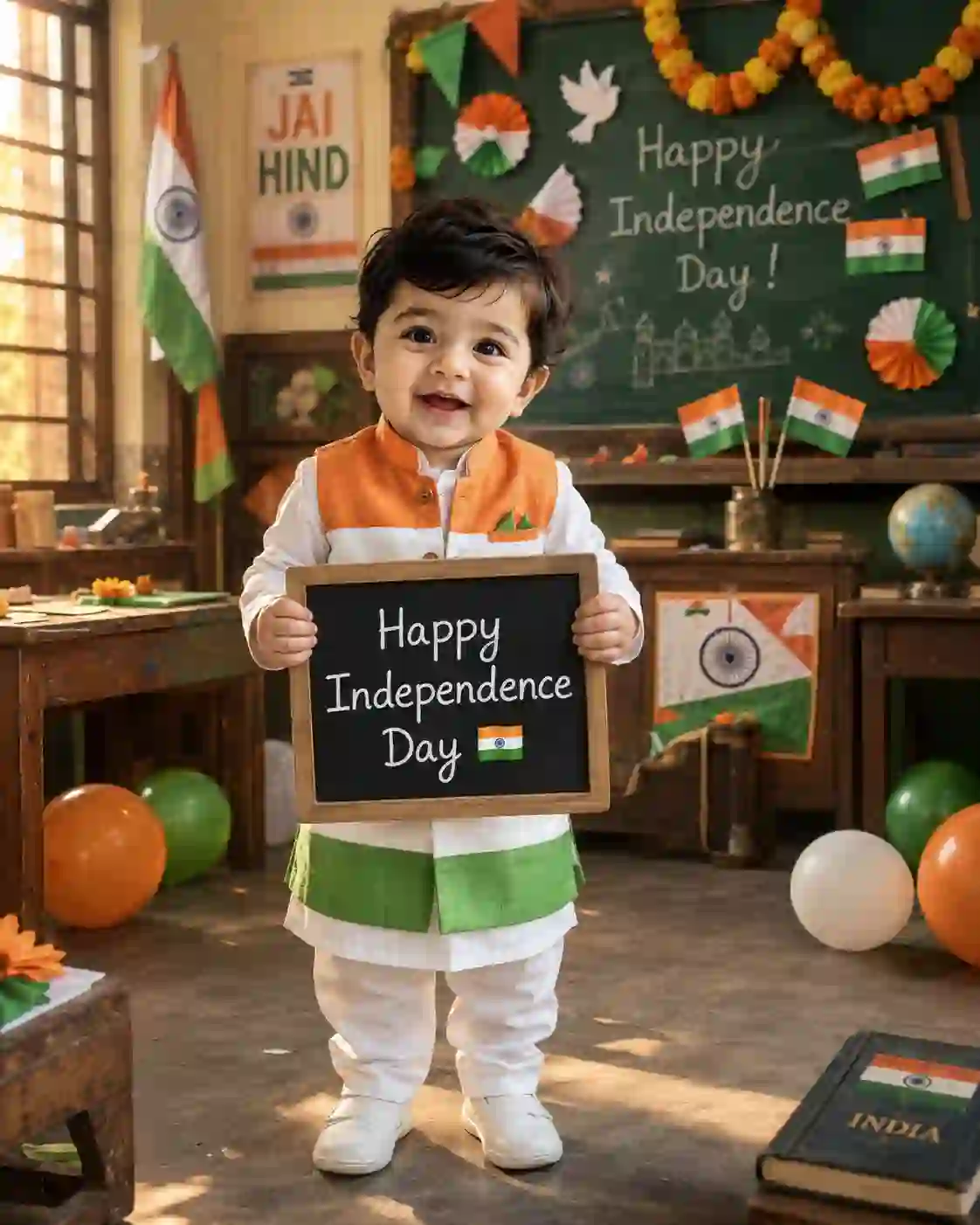
An adorable 1-year-old Indian baby boy standing in a beautifully decorated vintage classroom on Independence Day. He wears a white kurta-pajama with a tricolor jacket and holds a small black chalkboard that says "Happy Independence Day 🇮🇳". Behind him are colorful tricolor paper crafts, tiny Indian flags, balloons, marigold garlands, and a large green classroom blackboard with patriotic decorations. Soft morning sunlight through the windows. (4:5 ratio)Note: This post was updated on 14 August, 2026.


Thanks