Make Your Dirty Mirror Selfie Clean Using This AI Prompt
Maybe you’re just like me and everyone else, crazy about taking a selfie the moment you see a mirror. But have you ever noticed that even with a good mirror, dust and water spots still end up ruining your shot? Now you don’t need to worry because you can now clean dirty mirror selfies with the help of ChatGPT and Gemini.
For this you need the trending “Dirty Mirror Selfie Clean Prompt”, which is mentioned below in this article. As soon as you upload a dirty mirror selfie to ChatGPT or Gemini and paste this secret prompt, AI will make your photo absolutely clean.
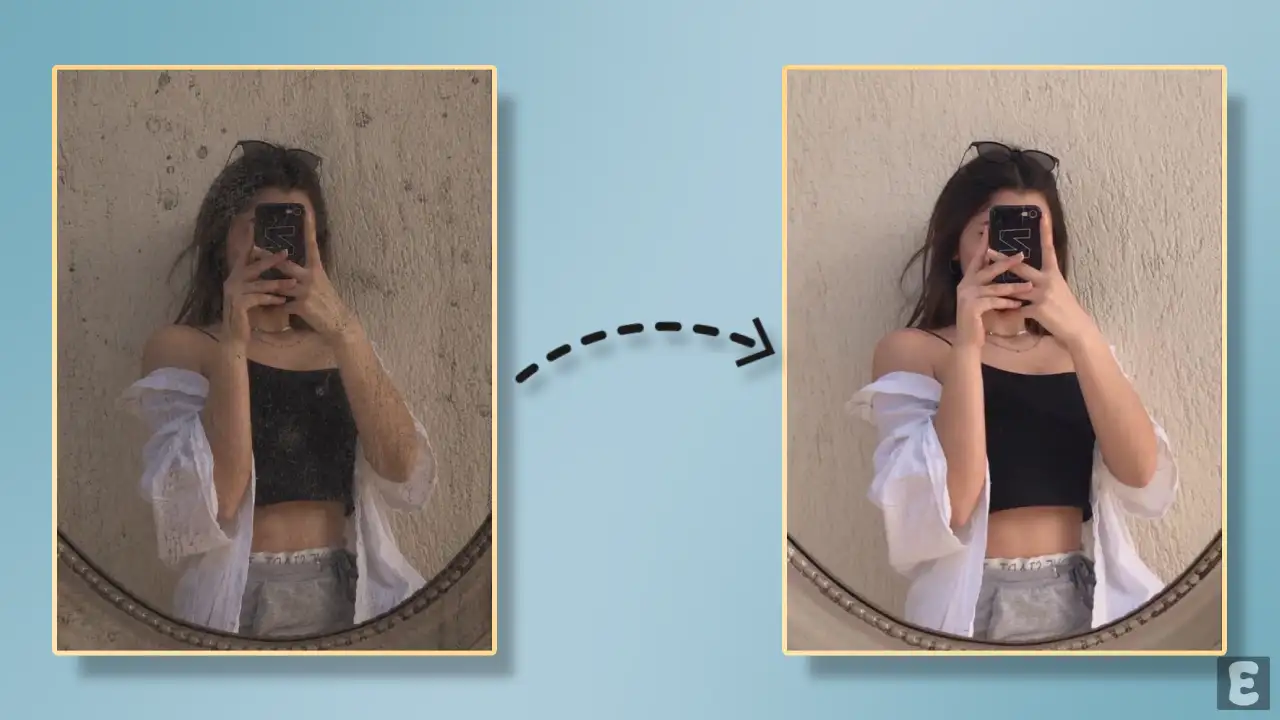
Dirty Mirror Selfie Cleaner AI
Before AI, if you took a bad mirror selfie, you’d have to fix it in Photoshop, and that took hours. But ever since generative AI tools entered the market, this work gets done in just a few clicks, thanks to a simple yet effective prompt.
Both ChatGPT and Gemini are capable of this task; all you need is the viral Instagram dirty mirror clean prompt. Yes! Dirty mirror clean reels are currently going viral on Instagram and are trending with hashtags.
How to Clean Dirty Mirror in Picture Using AI Prompt
Below, I’ve mentioned two methods (ChatGPT and Gemini) that can help you edit a dirty mirror selfie, remove the dirt, and get a clear mirror selfie. Just follow the steps below one by one.
Method 1. Using ChatGPT + AI Prompt
Step 1. Open ChatGPT App or Website (Chatgpt.com).
Step 2. Tap on “+” Icon and then Photos.
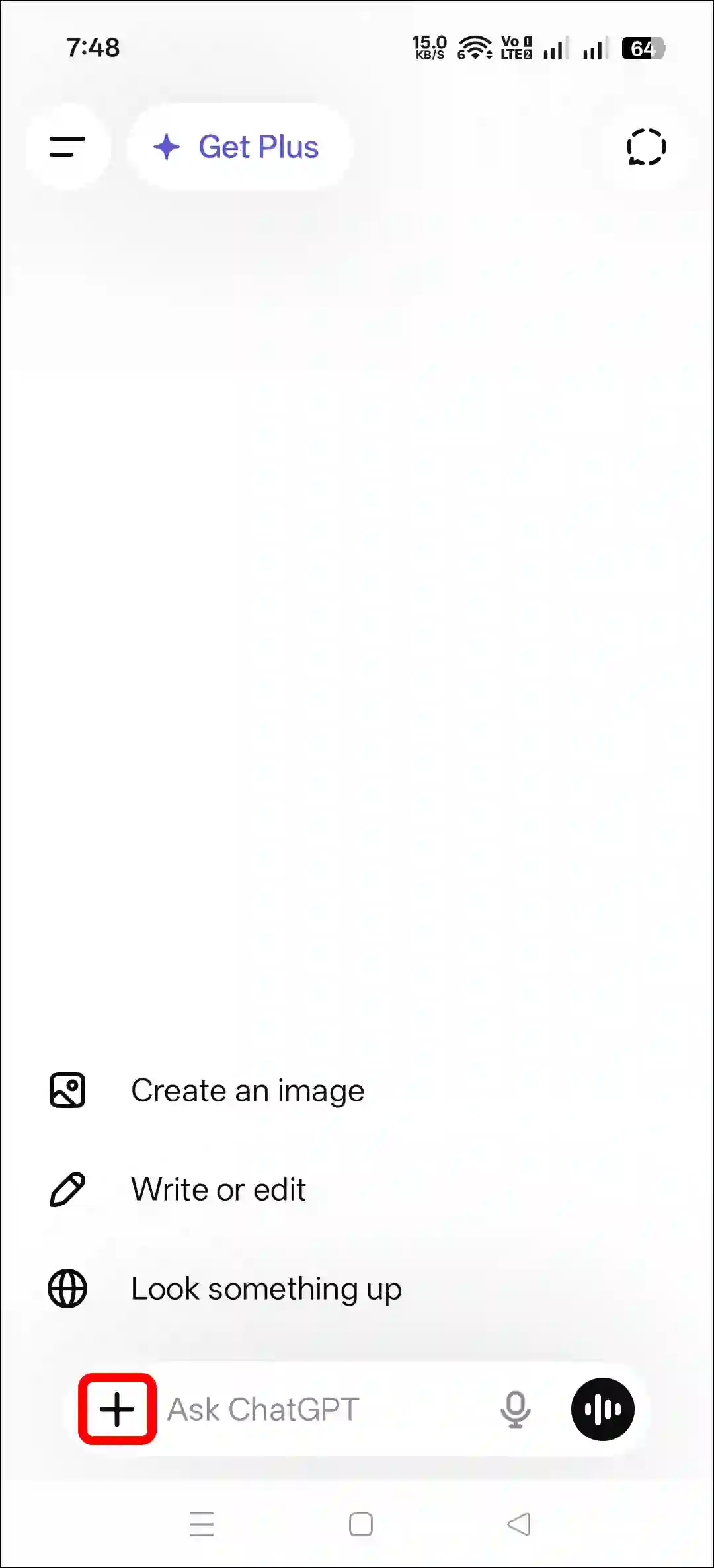
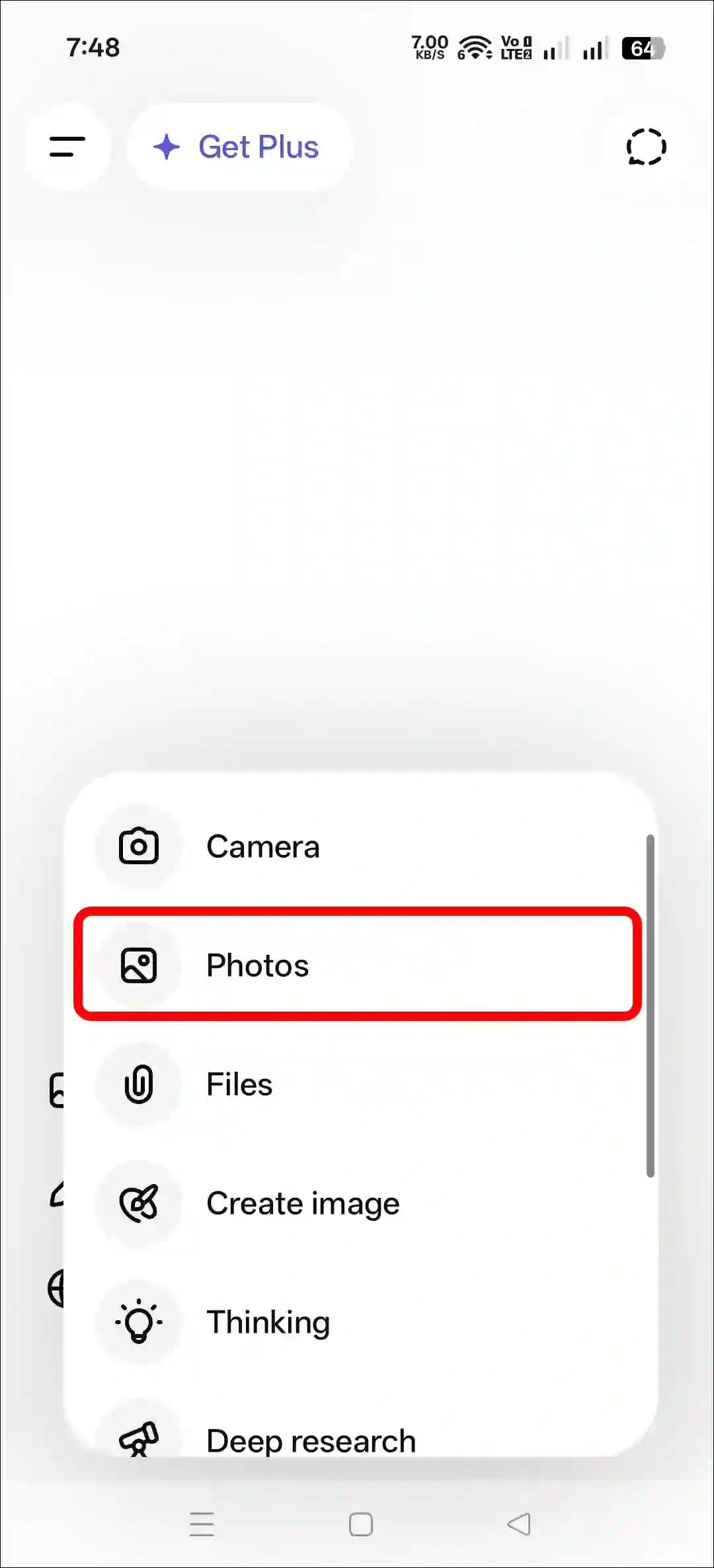
Step 3. Now, Upload a Dirty Mirror Selfie Photo as a Reference.
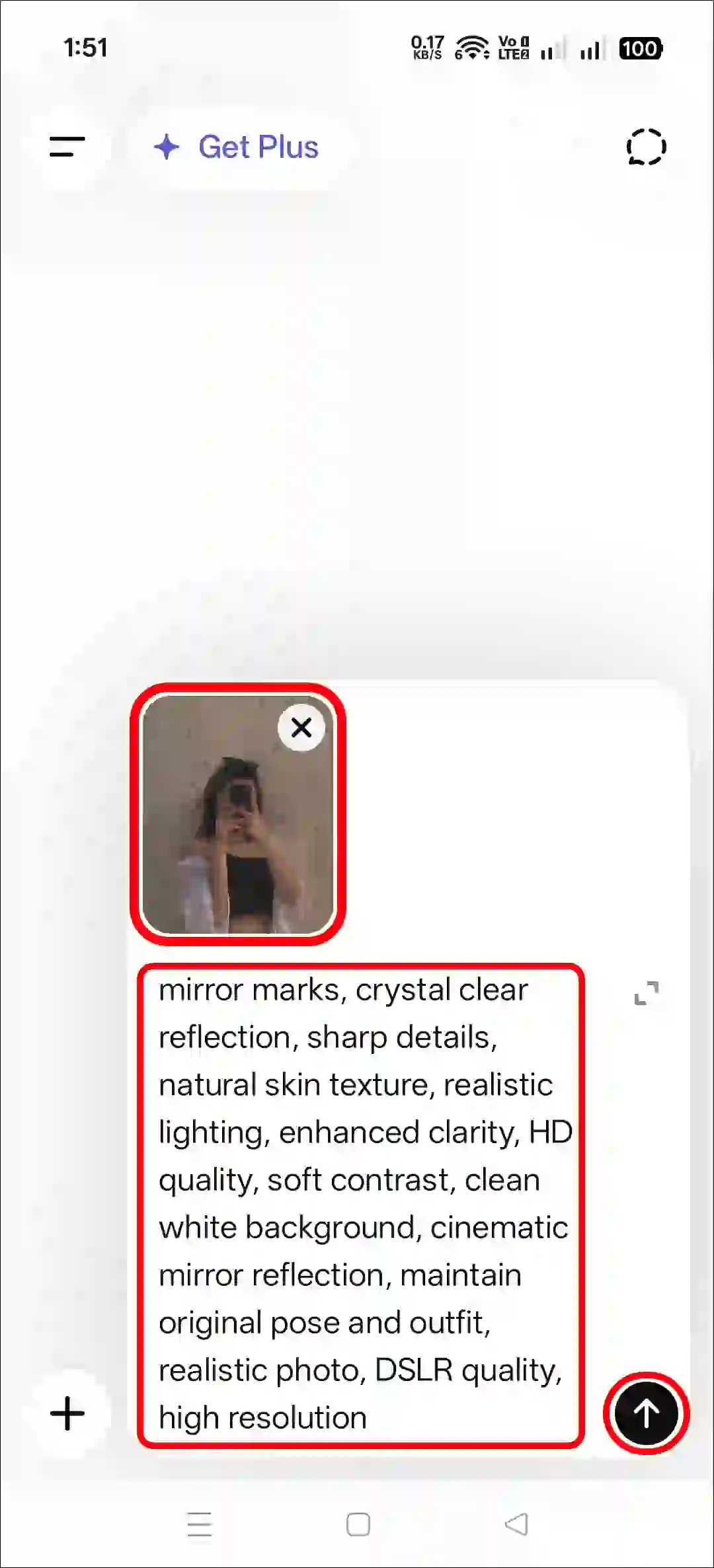
Step 4. Next, Copy and Paste the Prompt and Tap on Arrow Icon.
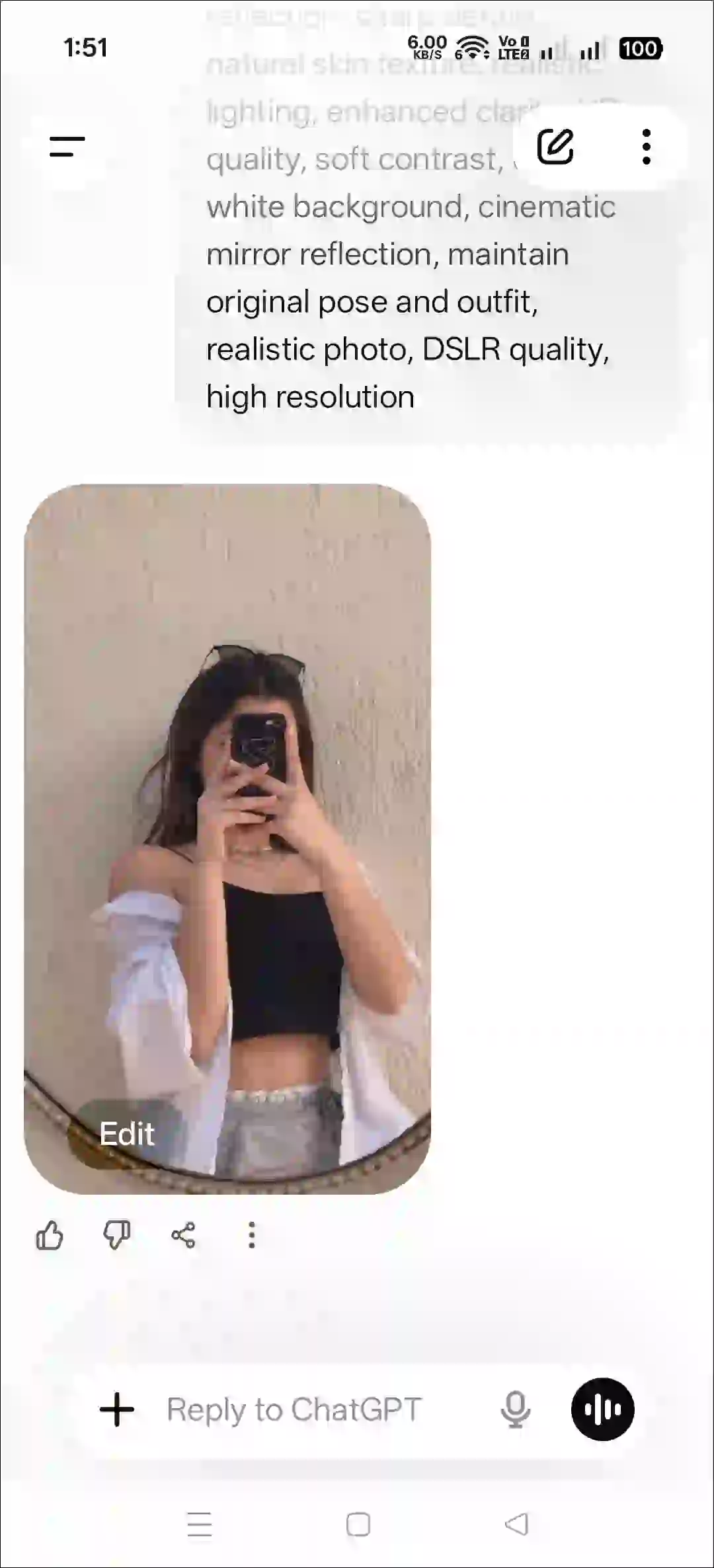
Step 5. Now, You Can See Your Mirror Selfie is So Clean.
Also read: Try Instagram’s Viral Sunset Effect Prompt
Method 2. Using Gemini + AI Prompt
- Open Gemini App or Website.
- Tap on “+” Icon and Select Images (Create and Edit) Option.
- Tap on “+” Icon and Select Photos Option and Upload a Picture.
- Now, Copy and Paste the Following Prompt in the Text Box Tap on Arrow.
- Wait for a While! Your Sunset Effect Photo is Here.
Copy Instagram’s Dirty Mirror Selfie Clean Prompt
Ultra clean mirror selfie, remove dust particles, smudges, stains and dirty mirror marks, crystal clear reflection, sharp details, natural skin texture, realistic lighting, enhanced clarity, HD quality, soft contrast, clean white background, cinematic mirror reflection, maintain original pose and outfit, realistic photo, DSLR quality, high resolutionAlso read: Instagram’s Restyle AI Feature! Here’s How to Use?
FAQs
Q 1. Is there any way to edit a dirty mirror selfie?
Answer – Yes! You can edit a dirty mirror selfie in a snap with the help of AI and prompts. All the stains on the mirror in the picture will be removed at once, and your photo will look exactly like an iPhone.
Q 2. Is this dirty mirror selfie prompt free to use?
Answer – Yes, absolutely! This post gives you the dirty mirror selfie prompt completely for free. You can copy it to your clipboard with just one click and use it as many times as you want, anywhere you like.