Google Chrome Viewing My Screen Despite Being Closed (Fix)
Google Chrome is monitoring my desktop screen even when it is closed. Yes! This is a question on the minds of thousands of users, not just me. That doubt turned into certainty when a Reddit user posted about it. In this article, I share two methods that stop Chrome from running in the background on your computer.
Look at This Reddit Post
On Reddit, a user named “yack” posted that they shared their screen via the Chrome browser on macOS, but even after closing the browser, a Chrome pop-up with the message “Currently Sharing” keeps appearing on their screen. He is troubled by this and wants to know how to get rid of it.
This issue has been observed not only on macOS but also on Windows OS. However, the Google Chrome browser has a built-in option that allows you to prevent Chrome from running in the background after it is closed. Along with this option, I have mentioned another method below.
Follow the two methods given below one by one, and you will get rid of this problem immediately.
Here’s How to Fix This Chrome’s Problem
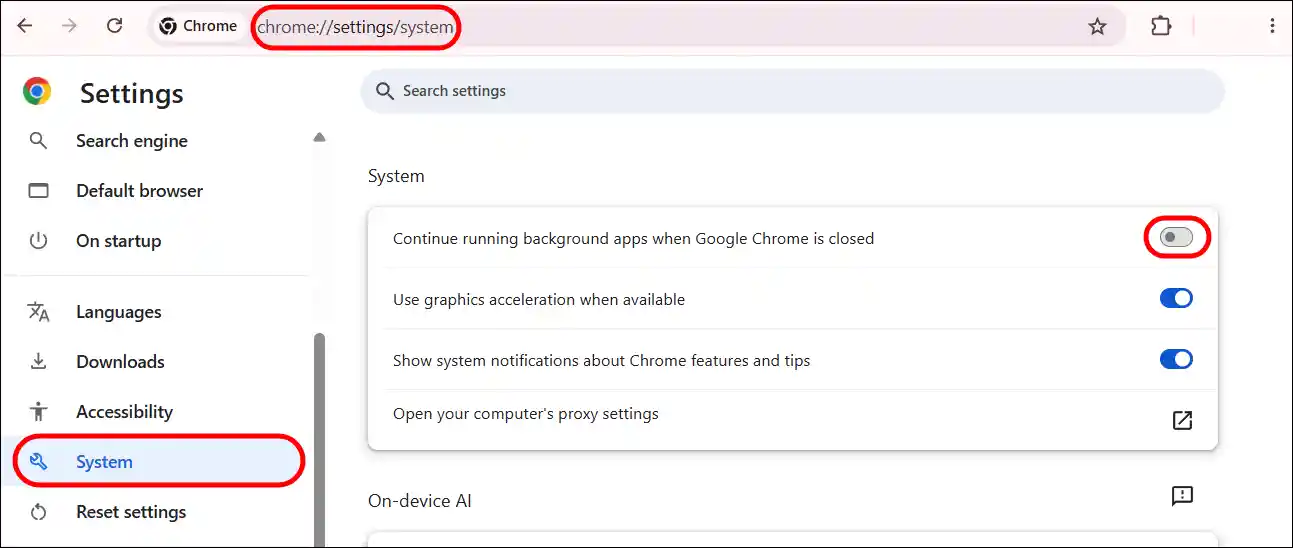
Method 1. From Chrome’s Settings (Mac + Windows)
Step 1. Open Chrome Browser on Your Device.
Step 2. Go to chrome://settings/system URL.
Alternatively, Click “⁝” > Settings > System.
Step 3. Turn Off the “Continue running background apps when Google Chrome is closed” Toggle.
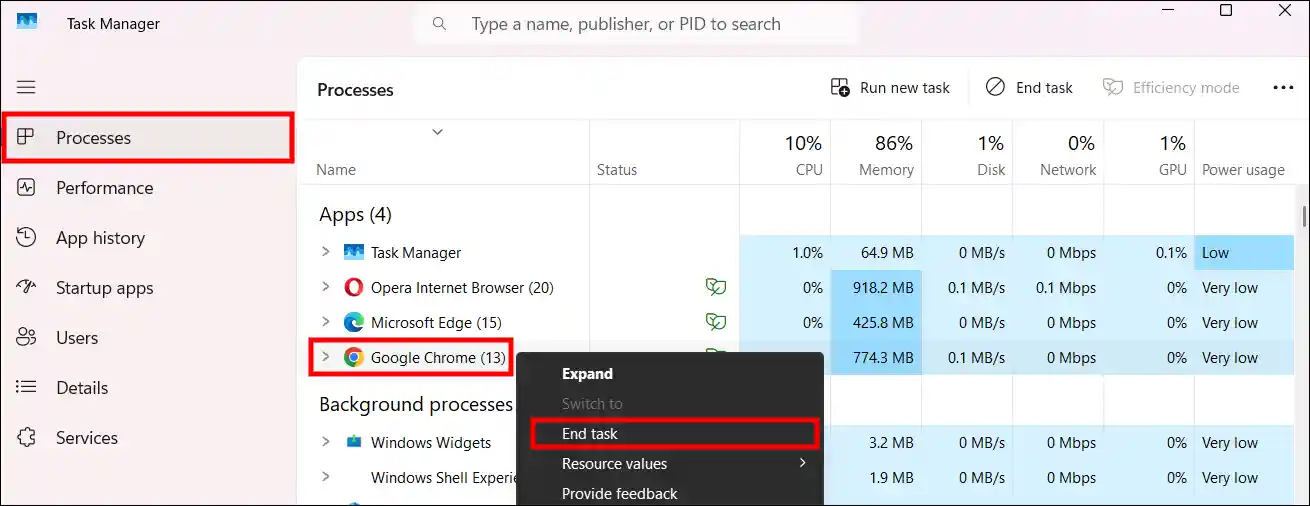
Method 2. From Task Manager (Windows)
Step 1. Press CTRL + SHIFT + ESC to Quickly Launch Task Manager.
Step 2. Within the Processes Section, Right Click on Google Chrome and Hit End Task.
That’s it! Now, the Chrome browser will not run in the background after being closed, nor will it monitor your screen.
Also read: Enable Extension Developer Mode in Edge, Chrome, Firefox, Opera